How to Add EPG on Kodi?
On this page
Kodi is an open-source media player which is a free application that functions as a digital media center. This application enables you to play your media, cast it between various devices, from a primary location to other devices. How to setup IPTV on Kodi?
You can use Kodi on most of the operating systems such as Android, Microsoft Windows, Linux, iOS, and devices such as Amazon FireTV, Smartphones, Apple TV, Xbox, and PC.
How to add EPG to Kodi
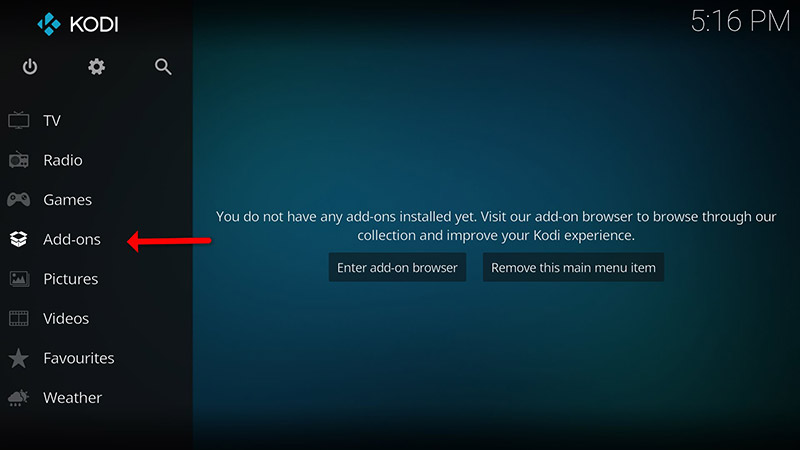
Step 1Open Kodi and click on “Add-ons“.
*Please note, the installation process is very similar in all operating systems.
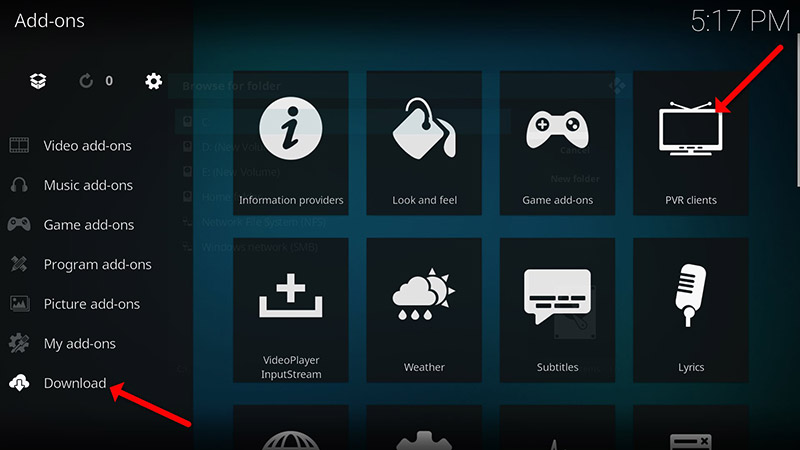
Step 2Now click on “My Add-ons” then “PVR clients“.
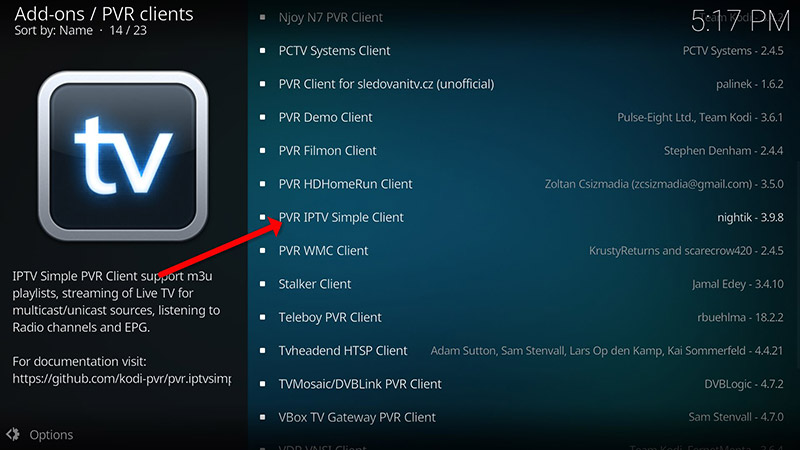
Step 3Now select “PVR IPTV Simple Client“.
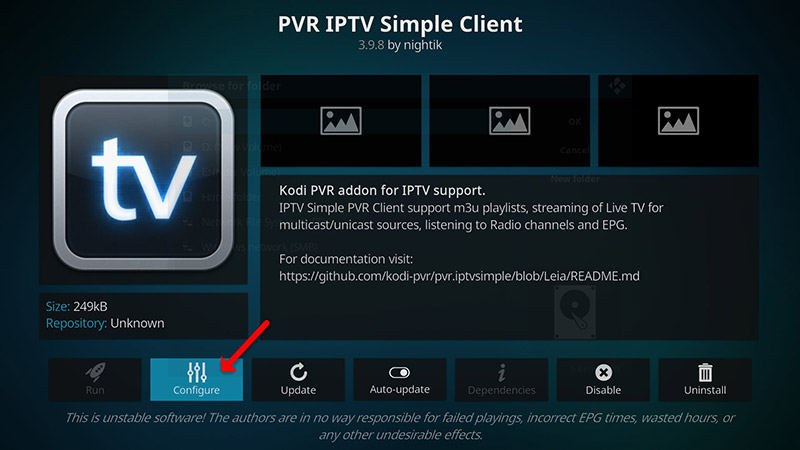
Step 4Proceed to PVR IPTV Simple Client and select “Configure”.
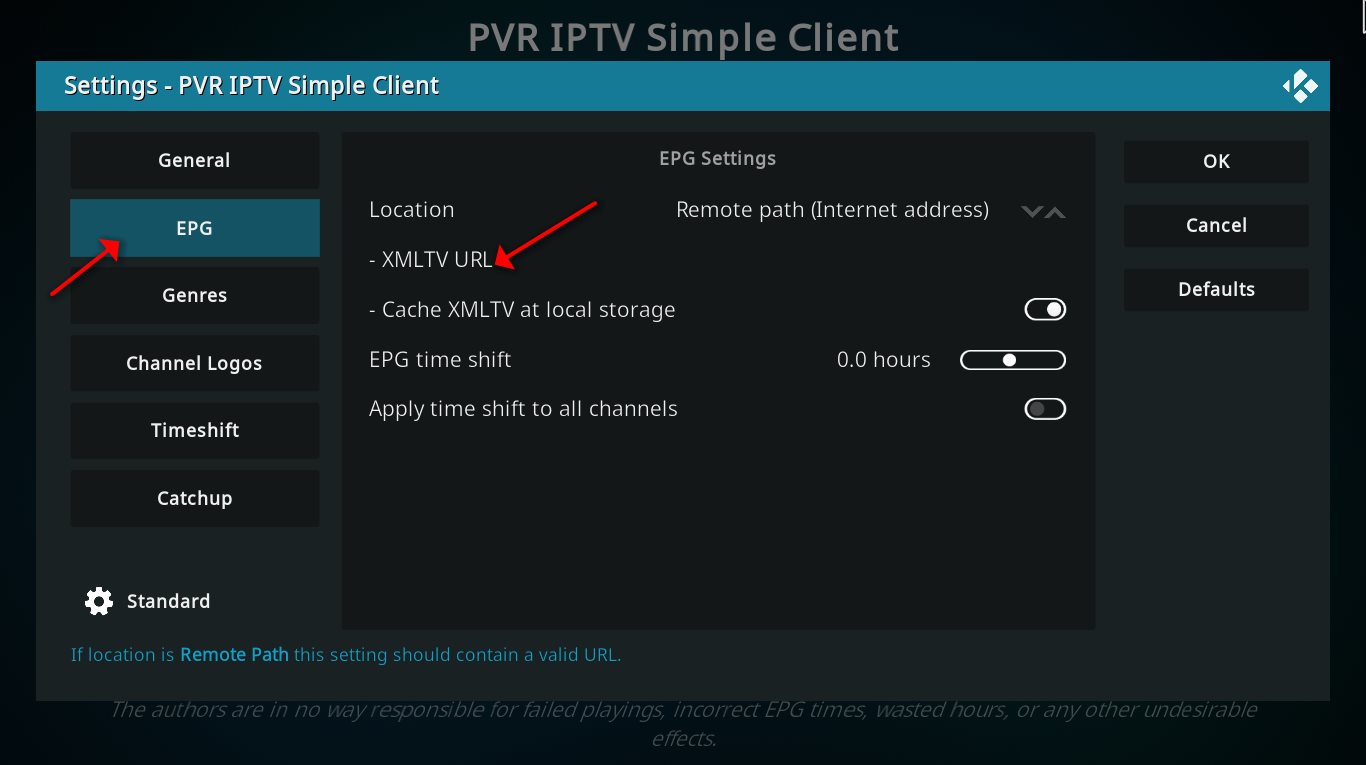
Step 9Select “EPG Settings”.
Step 10On “Location” select “Remote Path (Internet address)” and enter “EPG URL” at “XMLTV URL”. You can ask for EPG URL from your IPTV provider.
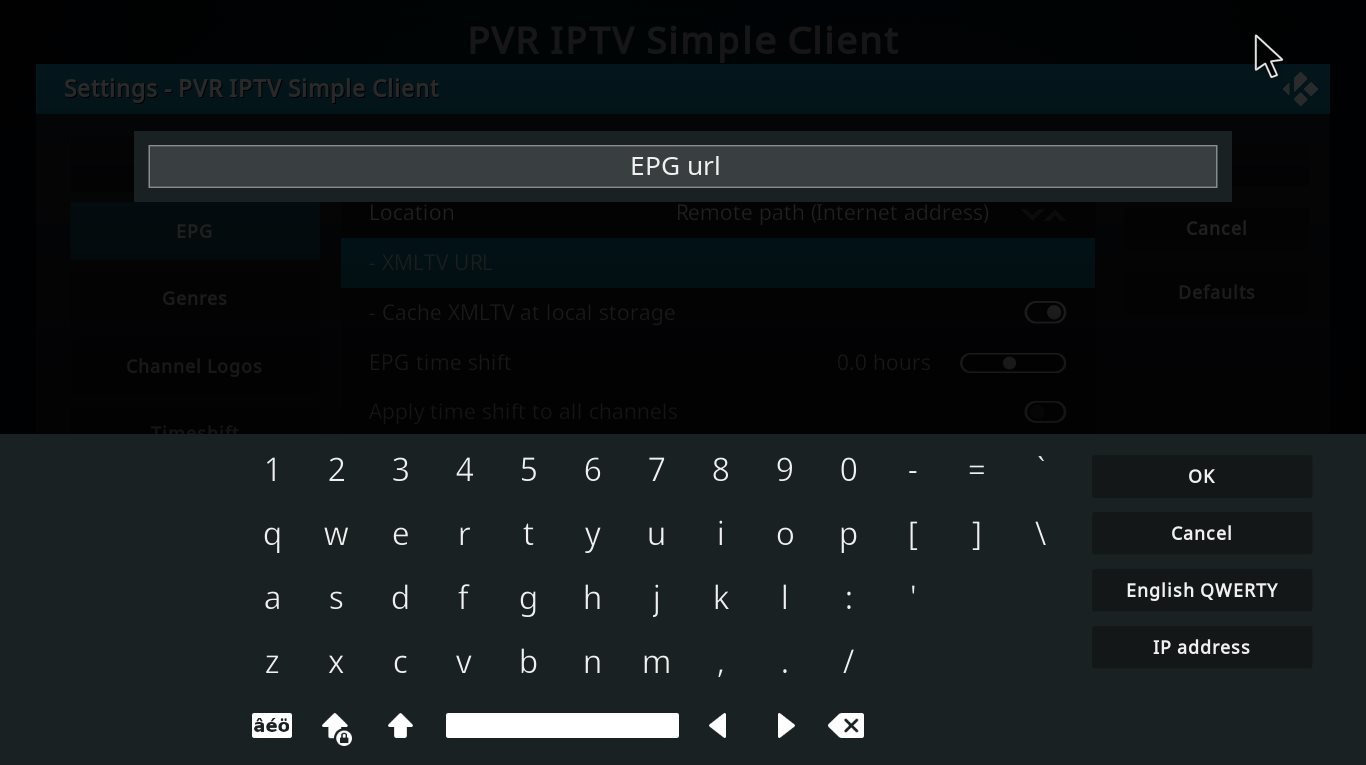
Step 11Click “OK” and reboot your KODI device.
Now TV guide will be added next to your TV channels.
Conclusion
Kodi is able to play virtually every media content that you can imagine and is very customizable. Kodi allows you to change the color, skin of the user interface based on your tasteful preferences. You can also download tons of various add-ons to make your entertainment world even more remarkable.
Did this guide work for you?
Thanks — your feedback helps us keep this guide accurate.