How to Set Up IPTV on Dreamlink Box via DOL2?
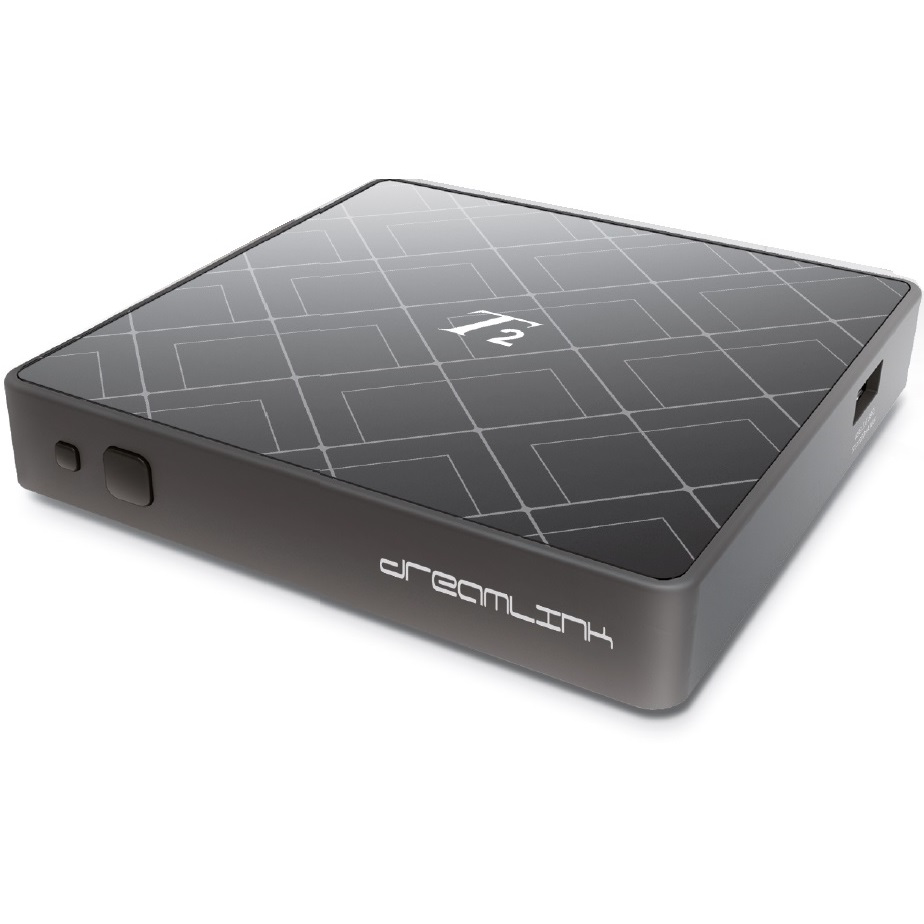
The Dreamlink T1 and T2 are devices that grant access to IPTV channels. They include a user interface based on the Stalker Middleware, an interface that is intended to convert these online channels into a menu from which you can simply select which channel you require to watch.
Basically, these merchandises make it simpler for you to see the numerous channels that are on offer and pick whichever one catches your imagination. The user interface also includes a web browser, video player, and a mixture of other apps. Softwares you need for watching IPTV
How to add IPTV channels to Dreamlink
In order to add channels to your dreamlink device, follow the below steps.
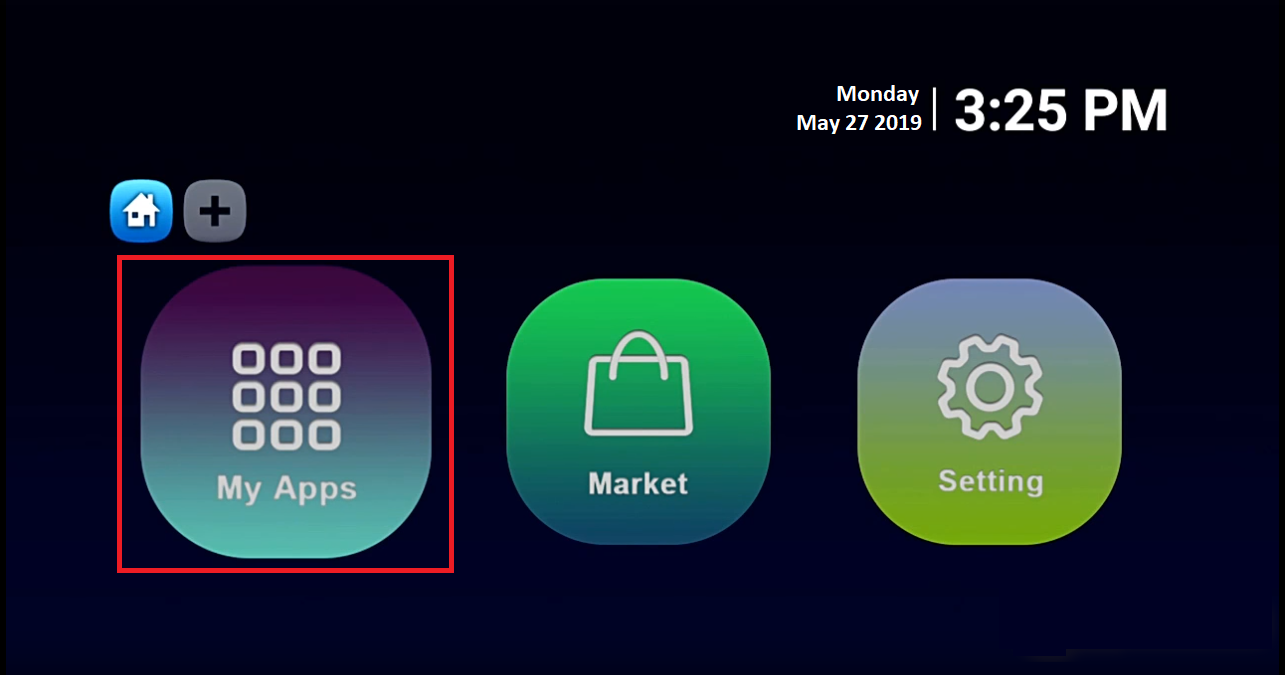
Step 1From the main page, go to “My Apps“.
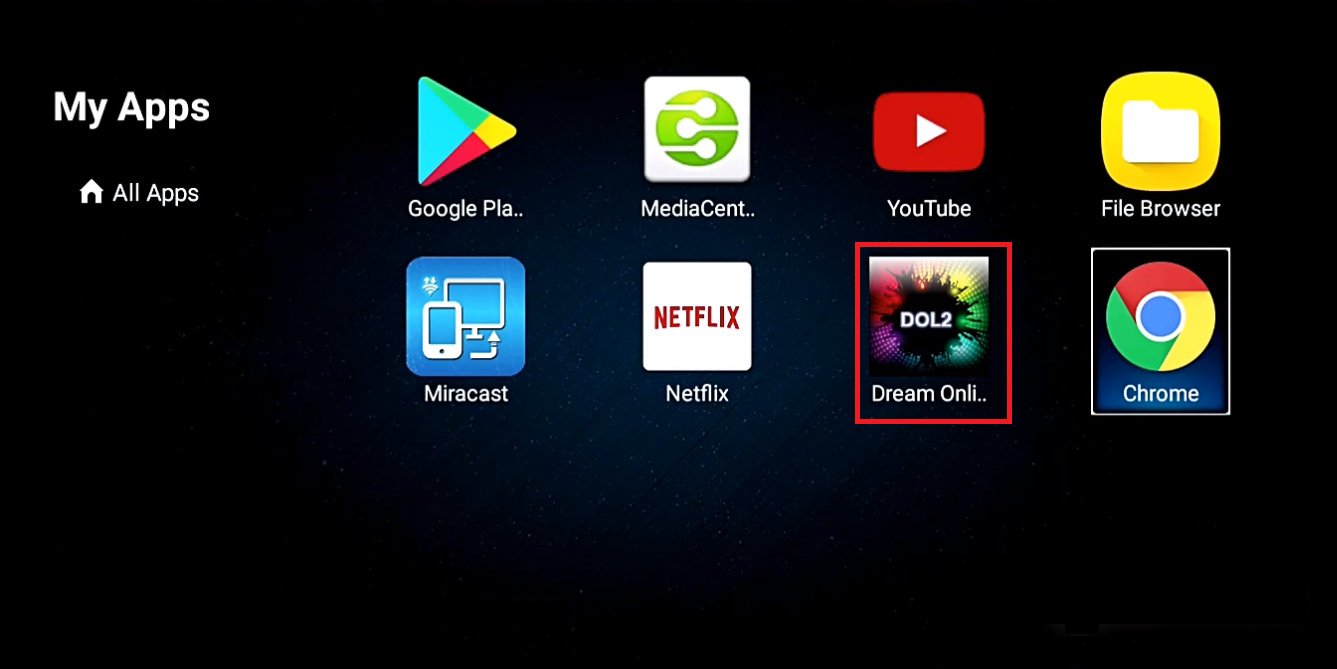
Step 2Select DreamOnline (DOL 2).
Note, If the DreamOnline (DOL2) app is not in the My apps folder go to the Market folder, find DreamOnline (DOL2) and install it. After that, it will appear in the My apps folder/
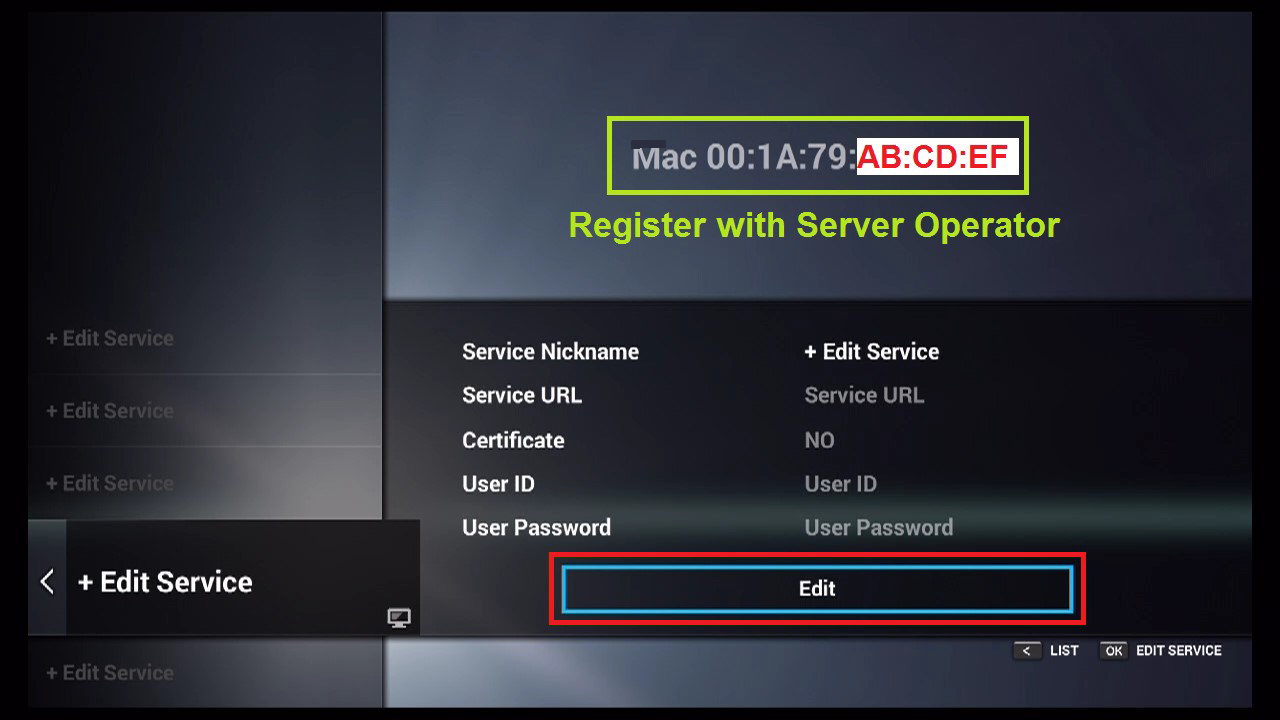
Step 3Now select “Edit Service” and then click on “Click Edit“.
Important: Be sure you register on (Server Operator Homepage) with your right MAC Address (if necessary).
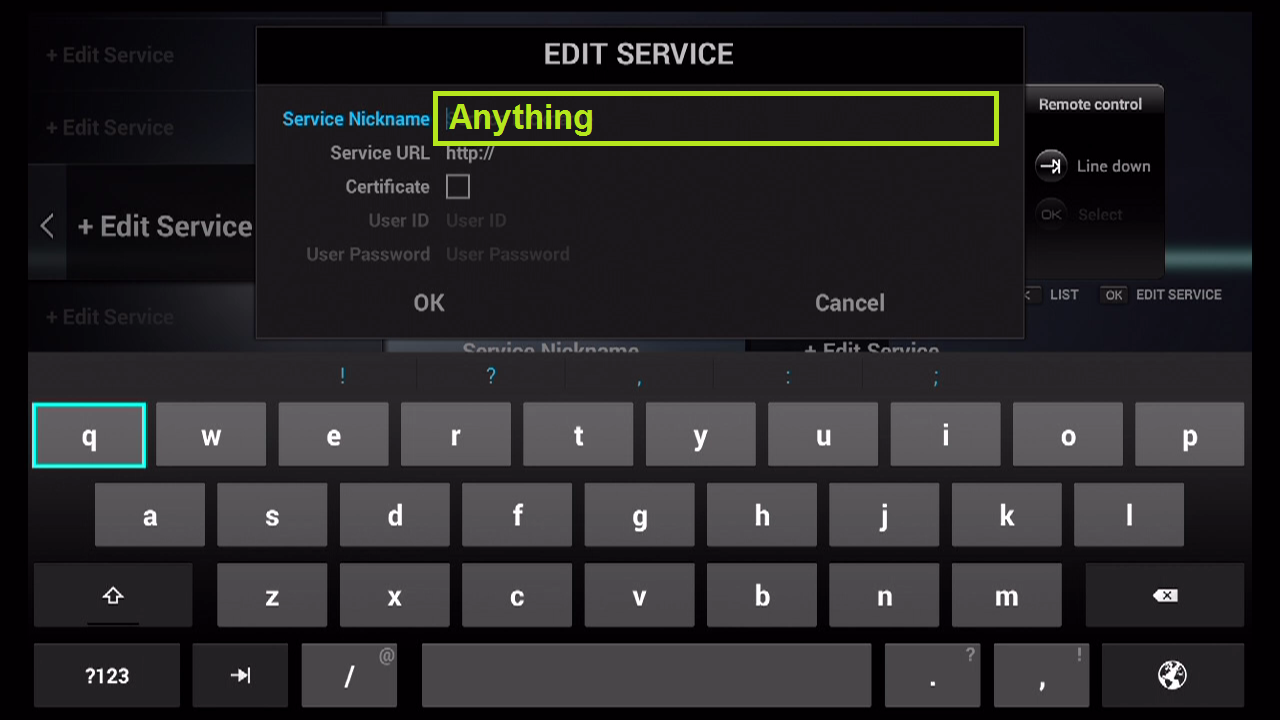
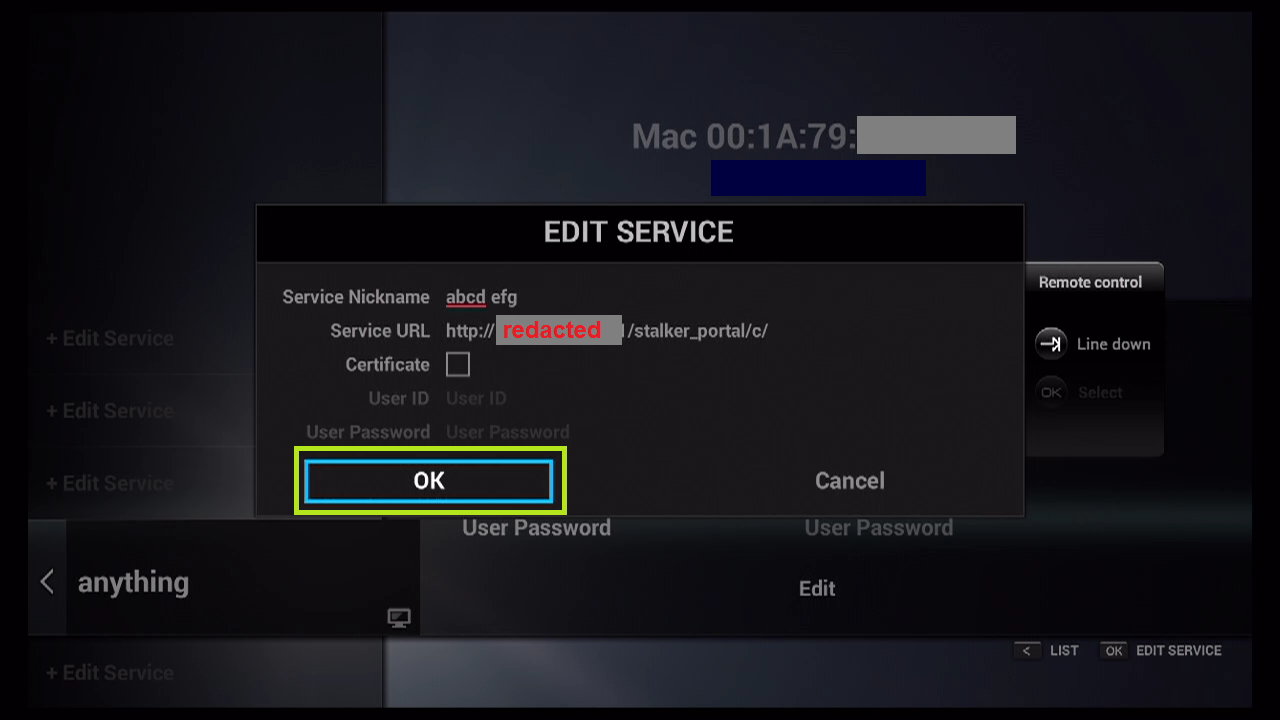
Step 4Enter Service Nickname (Any name).
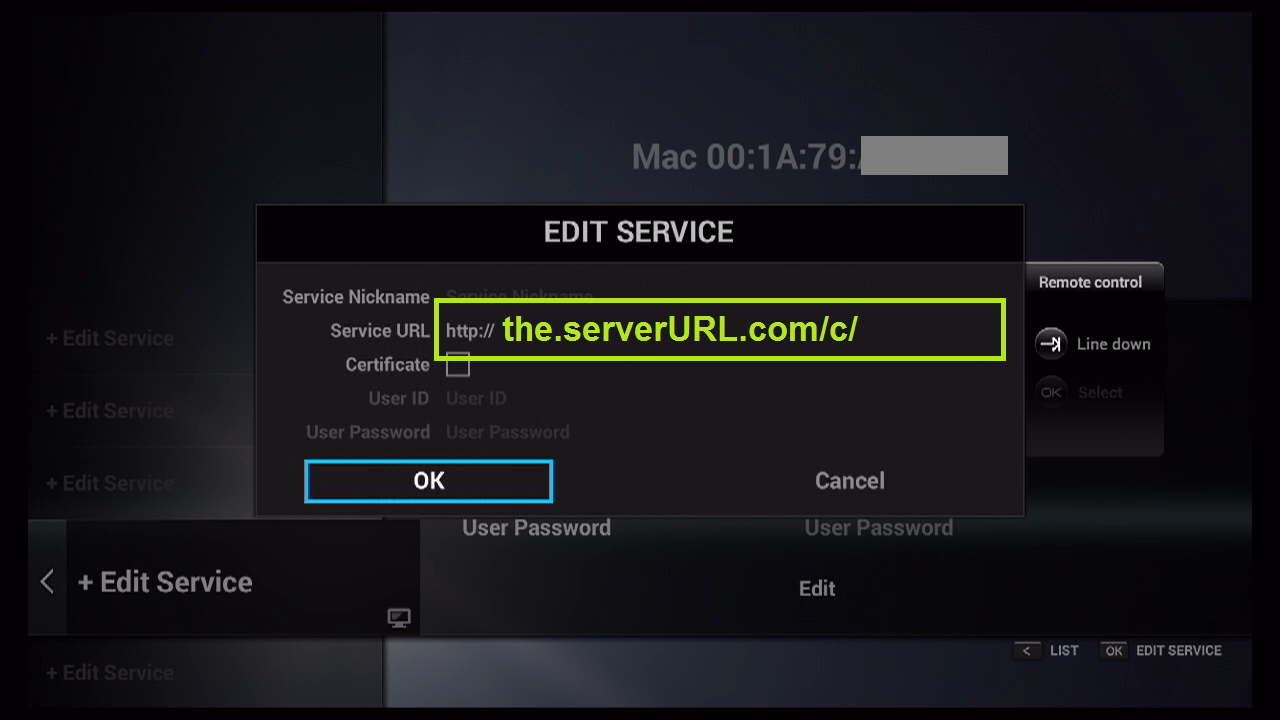
Step 5Enter the IPTV Server URL (Portal URL) you get from your Server Operator.
Step 6It is NOT necessary to enter the Username and Password.
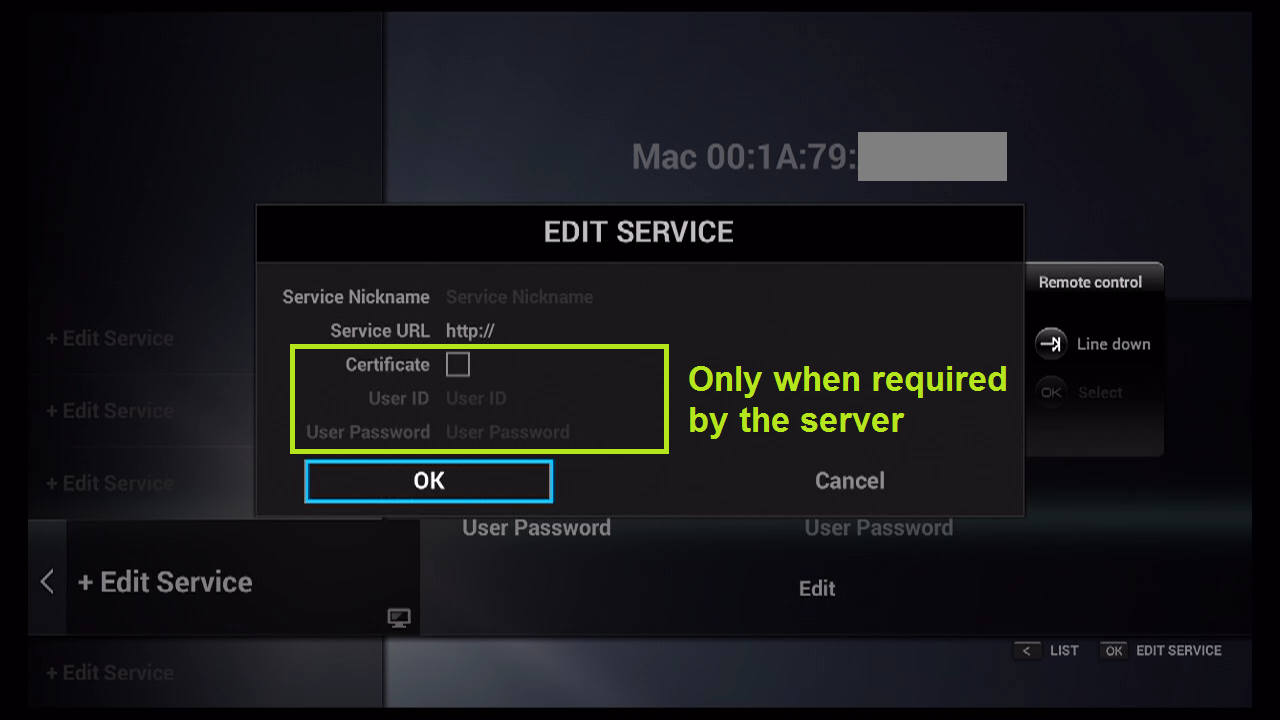
Step 7Click “OK“.
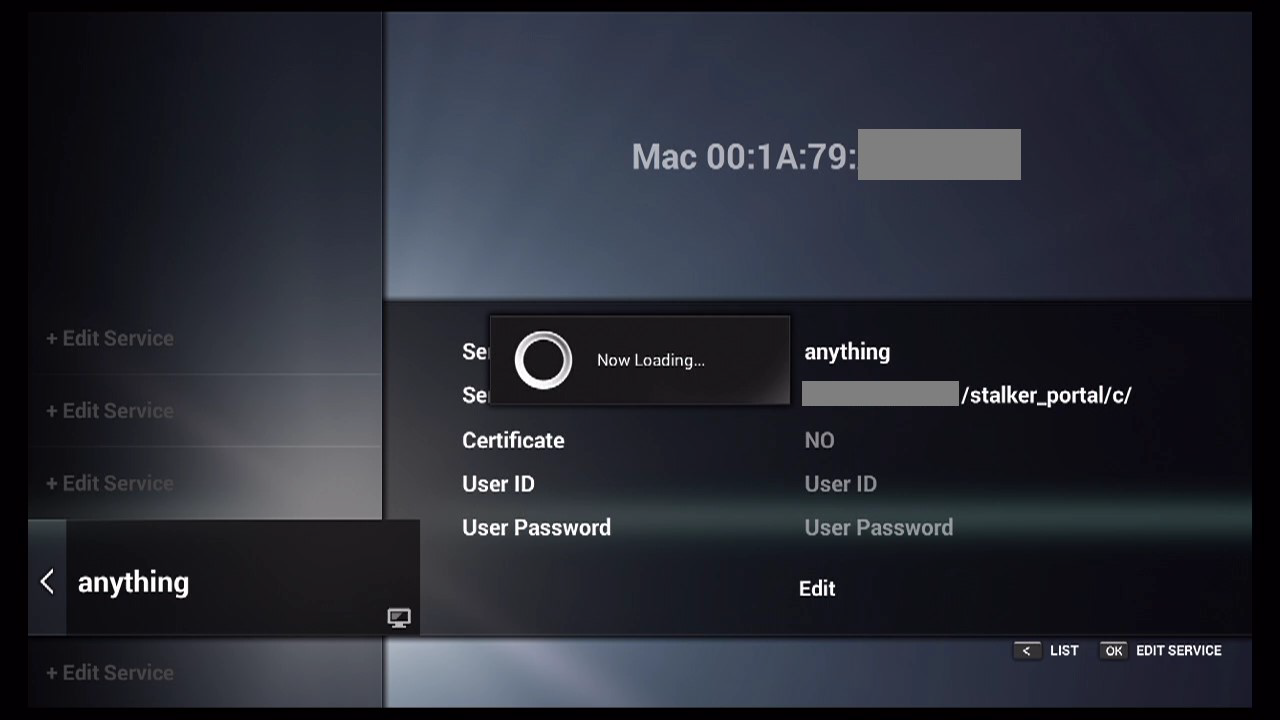
Step 8Connecting to IPTV Server (with your registered data) in progress.
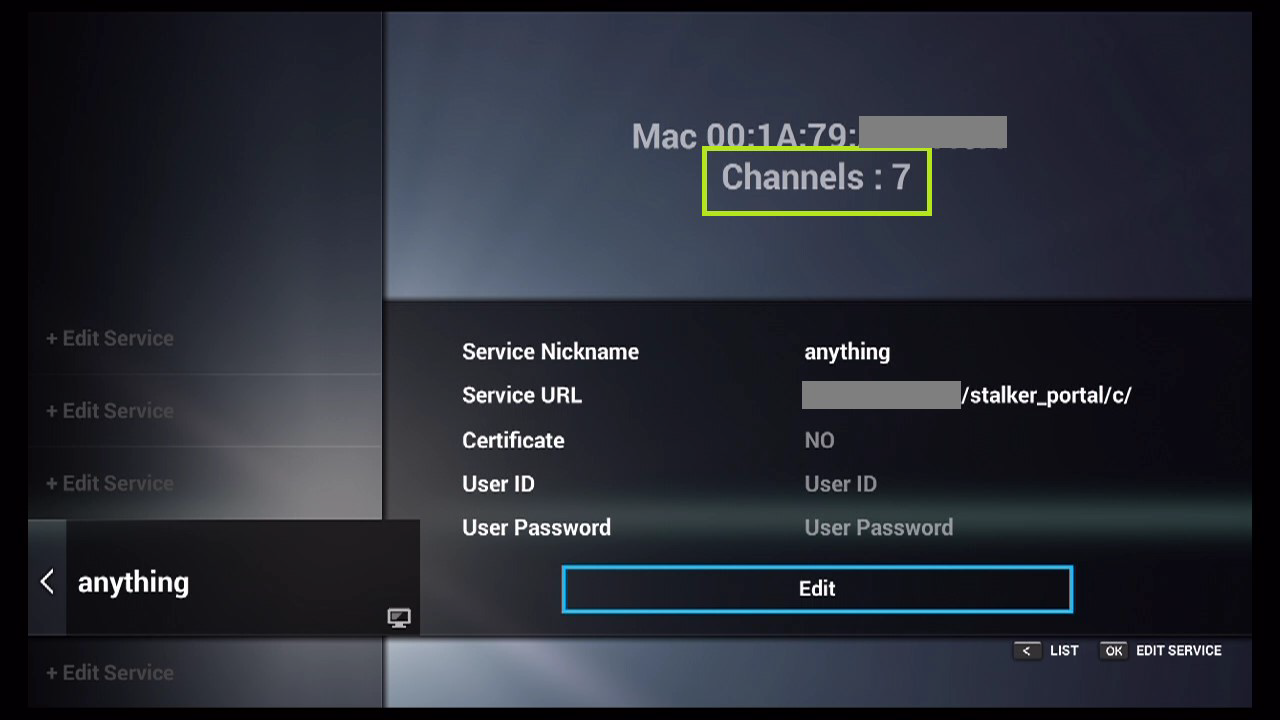
Step 9Successful Connection! You receive all channels associated with your account.
Feel free to submit your questions and feedback regarding this article in the comments section and help us improve the quality of our contents. Thank you!
Did this guide work for you?
Thanks — your feedback helps us keep this guide accurate.