





How to Set Up IPTV on rIPTV App (Easy Guide)
Transform your iOS or Android device into a powerful IPTV streaming hub with rIPTV—a user-friendly app that combines live TV, on-demand content, and an EPG (Electronic Program Guide) in one place
🌐 What Is Internet Streaming?
Internet streaming delivers multimedia content in real-time without requiring downloads, making services like IPTV possible.
🎬 What Is Video on Demand (VOD)?
Video on Demand allows users to watch movies and shows anytime, a key feature of rIPTV.
📥 Where to Download rIPTV?
-
Android: Google Play Store
-
iOS: Apple App Store
⚙️ How to Set Up IPTV on rIPTV (3 Simple Steps)
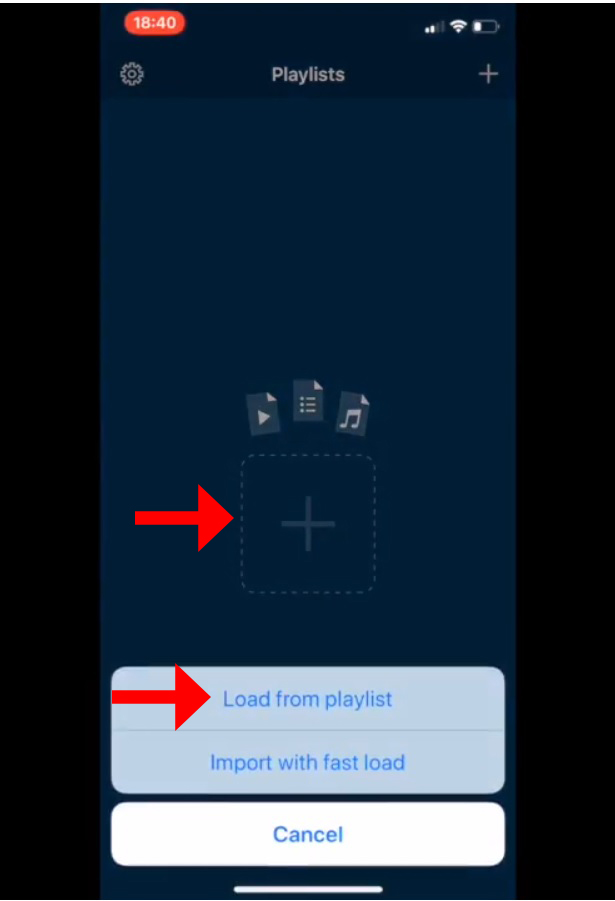
1️⃣ Step 1: Add a New Playlist
-
Open rIPTV and tap the “+” button at the bottom.
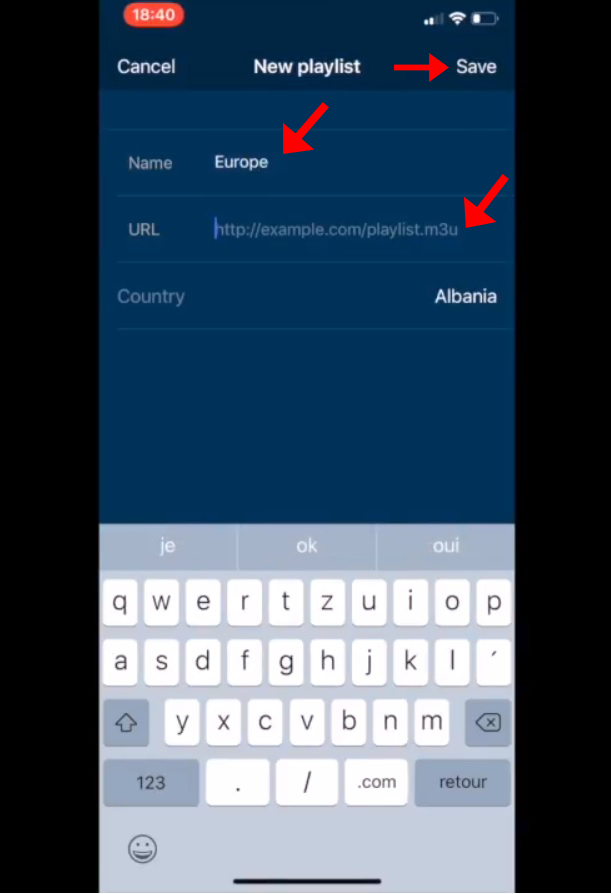
2️⃣ Step 2: Enter Playlist Details
-
Playlist Name: Choose any name (e.g., My IPTV).
-
M3U URL: Paste the link provided by your IPTV provider.
-
What is an M3U file?
-
-
Tap “Add” to proceed.
3️⃣ Step 3: Load & Enjoy!
-
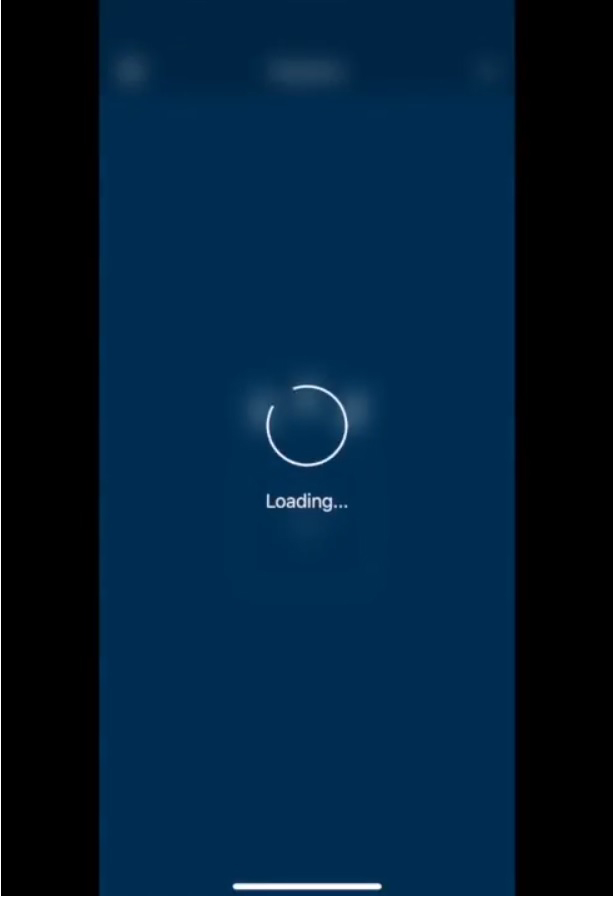
Wait for the playlist to load (a “Loading” indicator appears).
-
Once complete, start watching live TV & VOD instantly!
🌟 Key Features of rIPTV
✔ Multi-playlist support
✔ EPG (Electronic Program Guide) integration
✔ IMDB ratings & movie trailers
✔ Favorites & channel grouping
✔ VLC-based playback (supports most formats)
✔ 3D Touch & iPad multitasking
✔ Live TV pause/resume
💬 We’d Love to Hear From You!
Have questions or feedback about this guide? Share your thoughts in the comments below! Your input helps us improve. 💬👇
Developed by iptvhelpcenter.net
