





What Is an Android Box? Your Complete Guide to Smart TV Streaming
An Android Box is a compact streaming device that runs on the Android OS, transforming any TV into a smart entertainment hub. Popular models include:
-
Nvidia Shield (Premium performance)
-
Amazon Fire TV (Alexa integration)
-
Xiaomi Mi Box (Budget-friendly)
-
MINIX Neo (Power-user favorite)

📺 Why Use an Android Box for IPTV?

-
🚀 All-in-one streaming: Access IPTV, Netflix, YouTube, and more.
-
🛠️ Customizable: Install apps like IPTV Smarters, GSE Smart IPTV, or Perfect Player.
-
💡 Smart TV upgrade: Breathe new life into older TVs.
🔌 How to Set Up Your Android Box
1. Connect the Hardware
-
HDMI Cable: Link the box to your TV (included or buy separately).
-
Ethernet (Optional): For stable, high-speed internet (CAT5+ recommended).
-
Power Cable: Plug into an outlet.

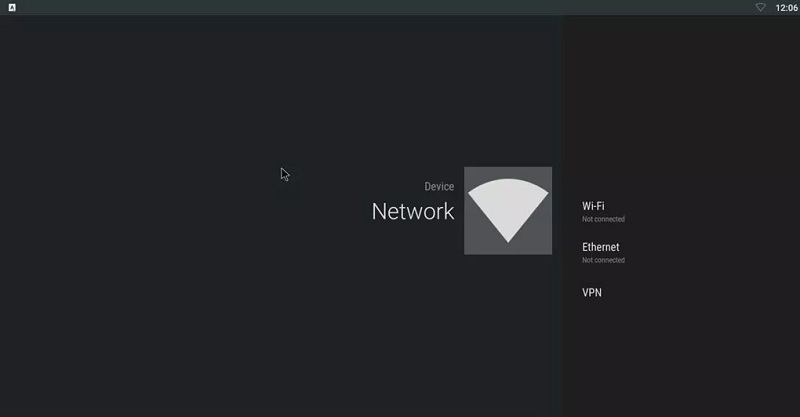
2. Connect to the Internet
-
Go to Settings > Network → Choose Wi-Fi or Ethernet.
-
📶 Minimum Speed: 15+ Mbps for smooth 4K streaming.
3. Set Up a Google Account
-
Sign in to Google Play Store to download apps (e.g., IPTV players).
-
Update preinstalled apps for optimal performance.

4. Install System Updates
-
Check Settings > About > System Upgrade (varies by brand).
-
Enable auto-updates if available.
📲 Best IPTV Apps for Android Box
| App | Key Feature |
|---|---|
| IPTV Smarters | User-friendly, EPG support |
| GSE Smart IPTV | Multi-playlist, VPN-ready |
| Perfect Player | Customizable interface |
💡 Pro Tip: Use an M3U playlist for channel organization.
💬 We’d Love to Hear From You!
Questions or feedback? Share your thoughts below! Your input helps us improve. 💬👇
Developed by iptvhelpcenter.net\
