





How to Set Up IPTV on AVOV TVOnline Box: Complete 4K Streaming Guide
What is AVOV TVOnline Box?
The AVOV TVOnline N is an Android 5.1-based IPTV box delivering 4K UHD streaming with Nova2 middleware. It supports live TV, Video on Demand (VOD), and offers a user-friendly interface for IPTV services.
⚡ Quick Setup Guide
🔌 Initial Setup
-
Connect Power & HDMI
-
Use the correct power adapter (using wrong voltage may damage the box)
-
LED lights (red/blue) indicate power status
-
AVOV logo appears during boot (1-2 minutes)
-
⚙️ Basic Configuration
-
WiFi Connection:
Settings → WiFi → Select network → Enter password
(Tip: Restart router if networks don’t appear) -
Time Zone & Language:
Settings → Time/Language → Select preferences
📡 How to Add IPTV Channels
Step-by-Step Installation:
-
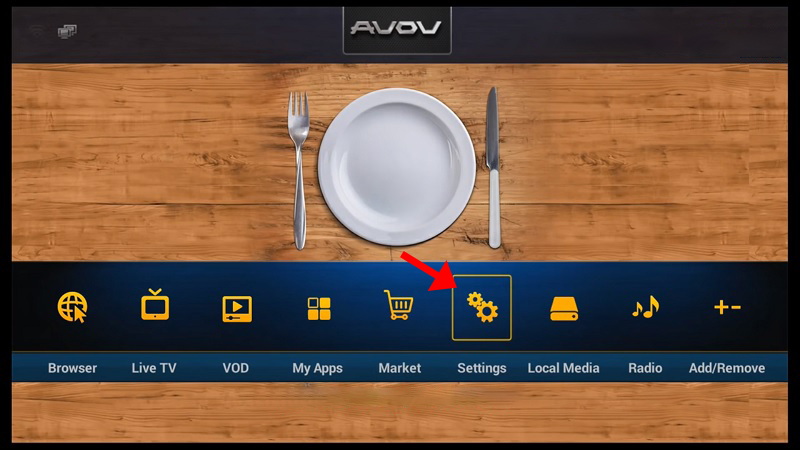
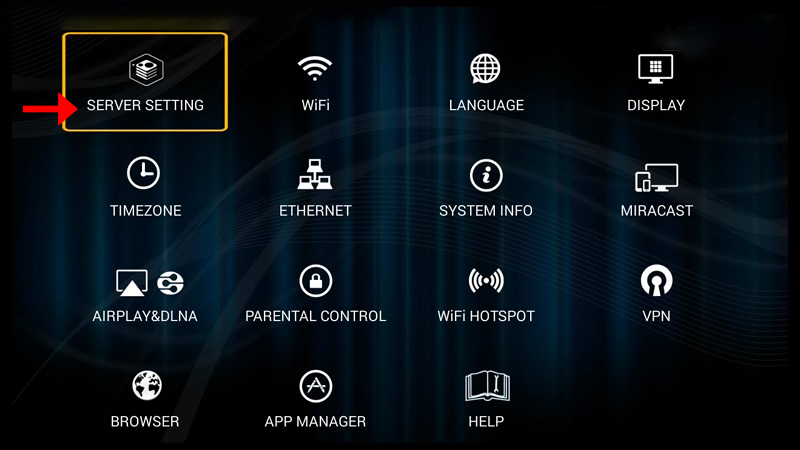
Go to Main Menu → Live TV (or Settings → Server Setting)

-
Enter:
-
Server Name: Any custom name
-
Server URL: Portal address from your IPTV provider
-
-
Click “Connect” (MAC address must be registered with provider)

(Note: M3U login works but MAG portal is simpler)
-
Wait for channels to load (1-3 minutes)

-
Return to Live TV to start streaming!


💎 Why Choose AVOV TVOnline?
✔ 4K UHD – Crystal-clear picture quality
✔ Nova2 Middleware – Optimized IPTV performance
✔ VOD Support – Movies & shows on demand
✔ User-Friendly – Simple setup for beginners
💬 We’d love to hear from you! Have questions or feedback? Share your thoughts below! Your input helps us improve. 💬👇
Developed by iptvhelpcenter.net
