





Ultimate Guide: Setting Up IPTV on Formuler Box with MYTV Online App
Formuler boxes are among the best IPTV receivers on the market, combining Android flexibility with dedicated IPTV performance. This guide will show you how to set up your Formuler Z-series device using the MYTV Online app in just a few simple steps.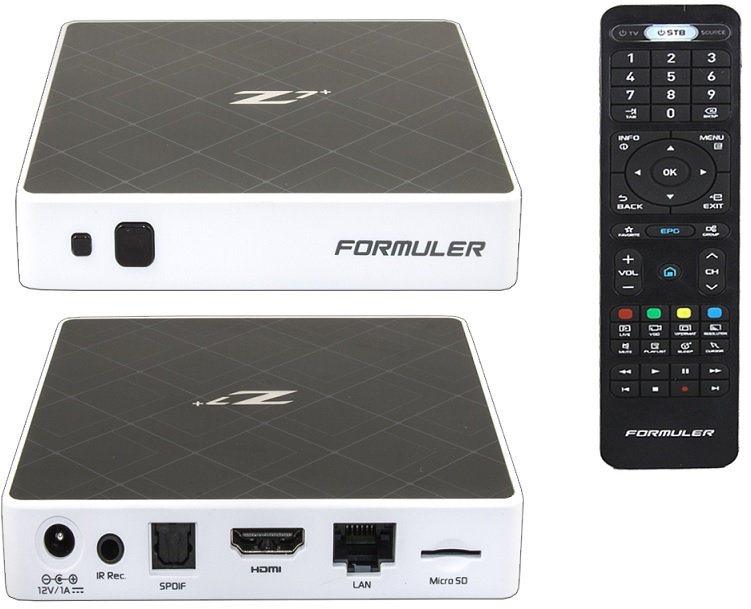
🔧 Before You Begin
-
Locate your device’s MAC address (on the box or in settings)
-
Convert to STB ID by replacing first 6 digits with:
00:1A:79 -
Example:
MAC: 00:1E:B8:XX:XX:XX→ID: 00:1A:79:XX:XX:XX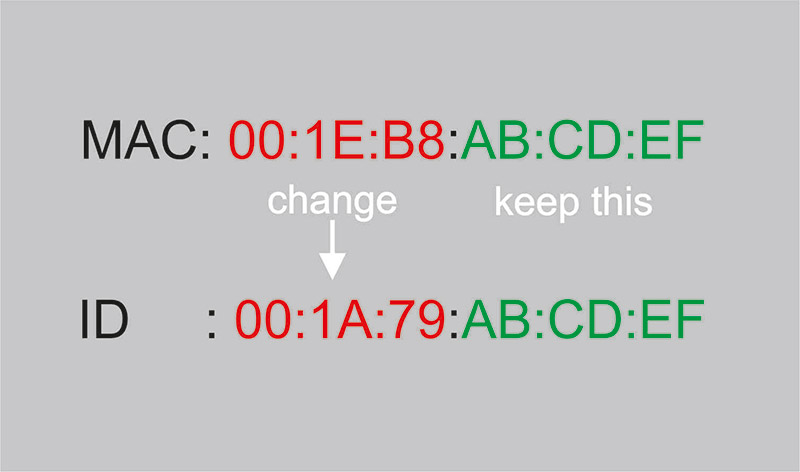
🛠 Step-by-Step Setup Guide
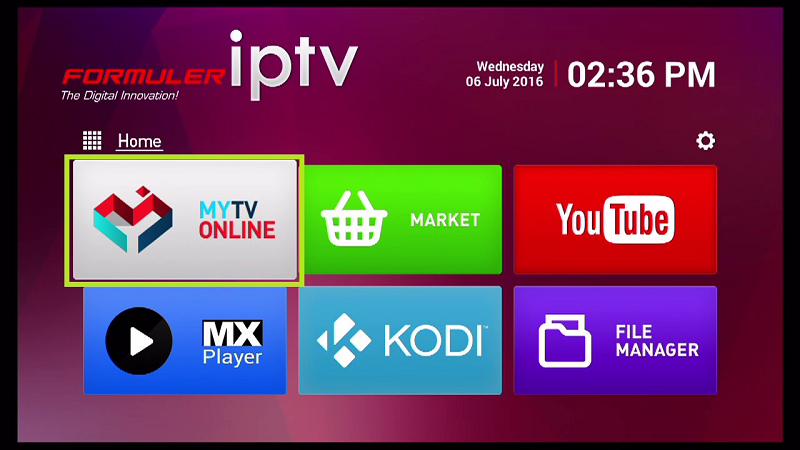
1️⃣ Install MYTV Online App
-
Open Google Play Store on your Formuler box
-
Search for and install “MYTV Online”
-
Launch the app after installation
2️⃣ Configure IPTV Connection
-
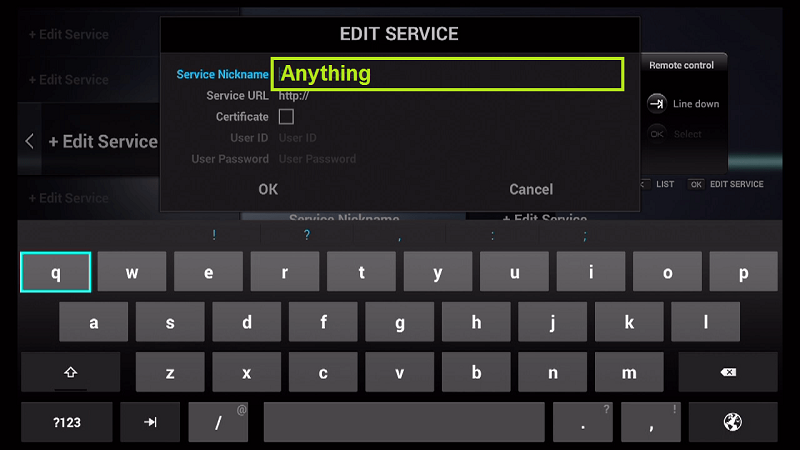
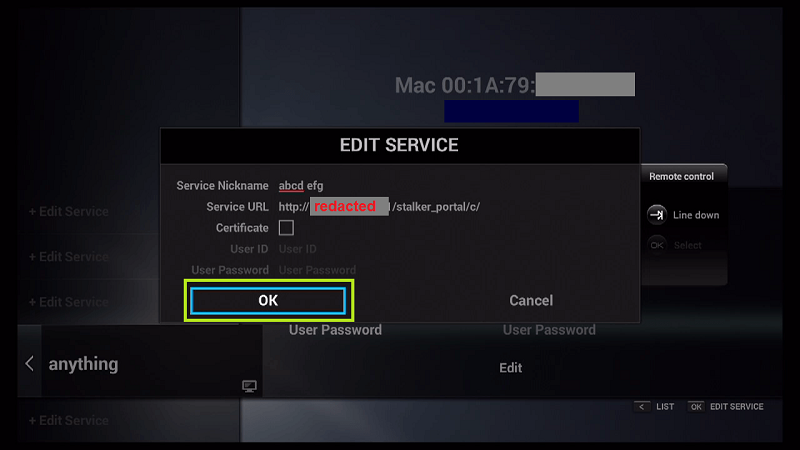
Select “Edit Service” → “Edit”

-
Enter a Service Nickname (e.g., “MyIPTV”)
-
Input your Portal URL (from IPTV provider)
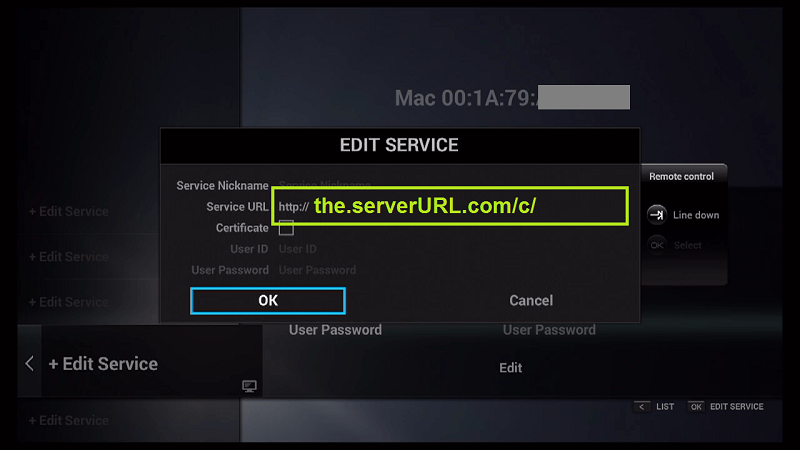
-
Skip username/password (unless required)
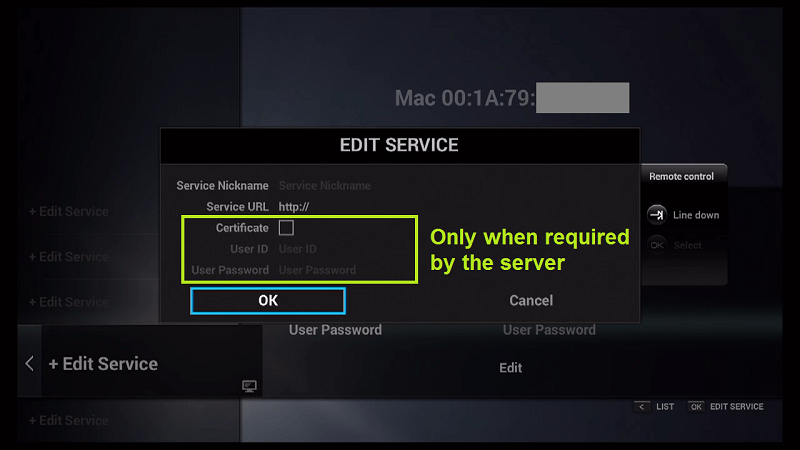
-
Click “OK” to connect
3️⃣ Enjoy Your IPTV Service
-
Connection may take 1-2 minutes

-
All subscribed channels will appear automatically
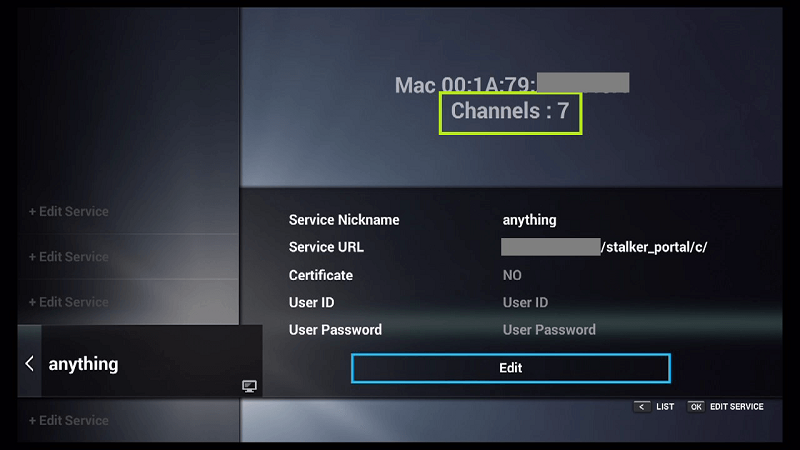
-
Use the intuitive interface to browse content
💡 Pro Tips
✔️ Always use the STB ID format (not raw MAC address)
✔️ Contact your provider if connection fails
✔️ Restart the app if channels don’t load immediately
🌟 Why Choose Formuler Boxes?
-
Dedicated IPTV performance (better than generic Android boxes)
-
MYTV Online app optimized for IPTV streaming
-
4K HDR support on newer models
-
Regular software updates
💬 We’d love to hear from you! Have questions or feedback? Share your thoughts below to help us improve! 💬👇
Developed by iptvhelpcenter.net
