





How to Set Up IPTV on MAG Box – Complete Step-by-Step Guide What is a MAG Box?
A MAG Box is a dedicated IPTV set-top box designed for seamless streaming of live TV and on-demand content.
🔧 How to Configure IPTV on MAG Box
Step 1: Access Settings
-
Turn on your MAG Box and press “SETUP/SET” on the remote.

-
Navigate to “Settings” → “System Settings”.

Step 2: Enter Server Details
-
Go to “Servers” → “Portals”.
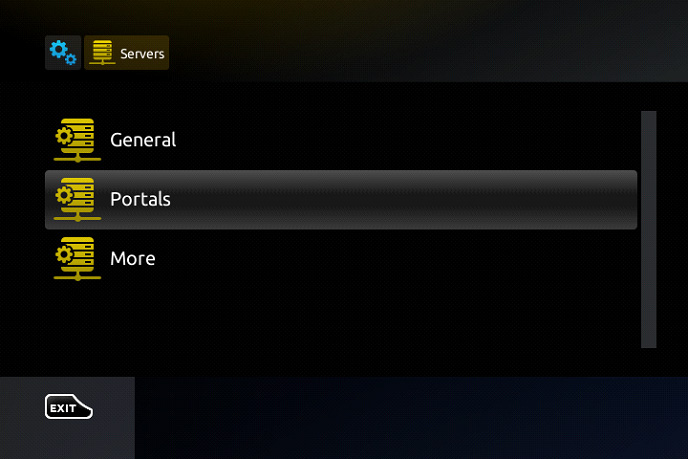
-
In “Portal 1 Name”, enter “IPTV”.
-
In “Portal 1 URL”, input the portal address provided by your IPTV provider.

⚠ Note: You’ll need to share your MAG Box’s MAC address (found on the back of the device) with your provider.
Step 3: Configure NTP Server
-
Go back to “System Settings” → “General”.
-
In “NTP Server”, enter:
-
“pool.ntp.org” (Global)
-
“us.pool.ntp.org” (North America)
-
-
Press “OK” to save.

Step 4: Restart & Enjoy!
-
Press “EXIT” twice and restart the portal.
-
Your IPTV channels will now load.
🔐 Adult Content Password
The default password is usually 0000 (unless changed manually).
💬 We’d Love to Hear From You!
Have questions or feedback? Share your thoughts in the comments! Your suggestions help us improve. 💬👇
Developed by iptvhelpcenter.net
