





Essential Devices & Tools for Streaming IPTV Smoothly
While specific devices like MAG boxes are known for IPTV, they’re not a must-have. Thanks to the variety of apps and platforms today, you can enjoy IPTV on many devices — from your 📱smartphone to your 🖥️PC and even your 🎮gaming console. This guide by iptvhelpcenter.net will walk you through the best hardware options for watching IPTV with clarity, convenience, and customization.
📺 1. Smart TVs (Samsung, LG, Android, and more)
Modern Smart TVs are IPTV-ready right out of the box. All you need is a reliable app:
-
IPTV Smarters
-
Smart STB
-
SS IPTV
-
Kodi (open-source media player)

🔹 Advantages: Wide screens, better audio-visual quality, access to live TV & VOD
🔹 Disadvantages: Limited app flexibility depending on the TV brand; potential security concerns
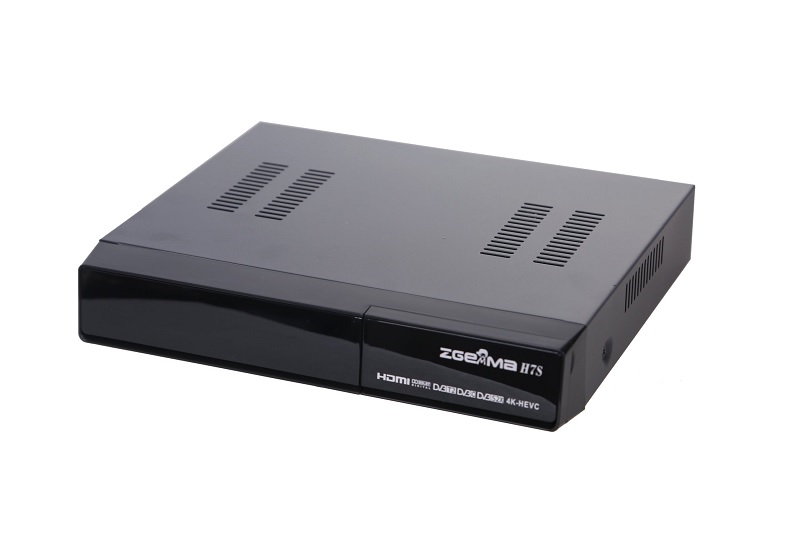
📦 2. Set-Top Boxes (MAG, Android, Apple TV, Enigma2, Roku)
STBs convert IPTV signals for your TV. Popular options include:
-
Android TV Boxes like NVIDIA Shield & Amazon FireTV
-
MAG Boxes (e.g., MAG 250, 520) — How to set up IPTV on MAG
-
Apple TV with apps like IP Television and Kodi
-
Enigma2 boxes (Linux-based) with XtreamTV plugin
-
Roku — great for casual users with 4K streaming🔧 Best for: Users wanting better performance, gaming, and streaming in one device
⚠️ Downside: Some require complex setup or don’t support all IPTV formats


💻 3. Personal Computers (Windows, macOS, Linux)
Your PC or laptop is already a powerful IPTV player. The best choice? VLC Media Player – lightweight, open-source, and reliable.
✅ Pros: Portable, multi-functional, EPG support, high-quality streaming
❌ Cons: Not as comfy as TV viewing; may lack remote control flexibility
📱 4. Smartphones & Tablets (Android, iOS)
With mobile apps like GSE IPTV and IPTV Smarters, you can carry your favorite channels in your pocket.

📲 Benefits: Portability, 4G/5G streaming, always with you
📵 Drawbacks: Smaller screens, battery drain
🎮 5. Gaming Consoles (Xbox One, PS4)
Gaming devices like Xbox One support IPTV via apps like Kodi. On PS4, Plex helps stream IPTV channels effectively.
🎯 Why it’s great: Combines gaming + streaming in one unit
🔌 Limitation: PS4 setup is less straightforward compared to Xbox
🔚 Final Thoughts
Whether you’re streaming from a Smart TV, Android box, or mobile app, there’s a suitable device for every budget and need. If you’re still unsure which hardware works best for you, browse through our detailed IPTV setup tutorials tailored for each platform.

💬👇 We’d love to hear from you! If you have any questions about this tutorial or feedback about our website, feel free to share your thoughts in the comments. Your suggestions and opinions help us improve and serve you better.
Developed by iptvhelpcenter.net
