





Smart Guide: How to Setup IPTV on Enigma2 via Autoscript
Enigma2 is a powerful, open-source operating system used in many Linux-based receivers, like VU+ and Dreambox. It brings advanced features such as Auto-Bouquets, 7-Day EPG (Electronic Program Guide), and Picons (channel icons), making it a top choice for IPTV enthusiasts.
Most older VU+ boxes use MIPS architecture, while newer ones are ARM-based. Enigma2 firmware is user-upgradable, offering full flexibility without needing third-party patches—especially great for advanced users.
🛠️ Quick Steps to Add IPTV on Enigma2 Using Autoscript
✅ Step 1: Install Dreambox Control Center (DCC_E2)
Download and launch Dreambox Control Center for Enigma2. You’ll use it to connect to your device via Telnet.
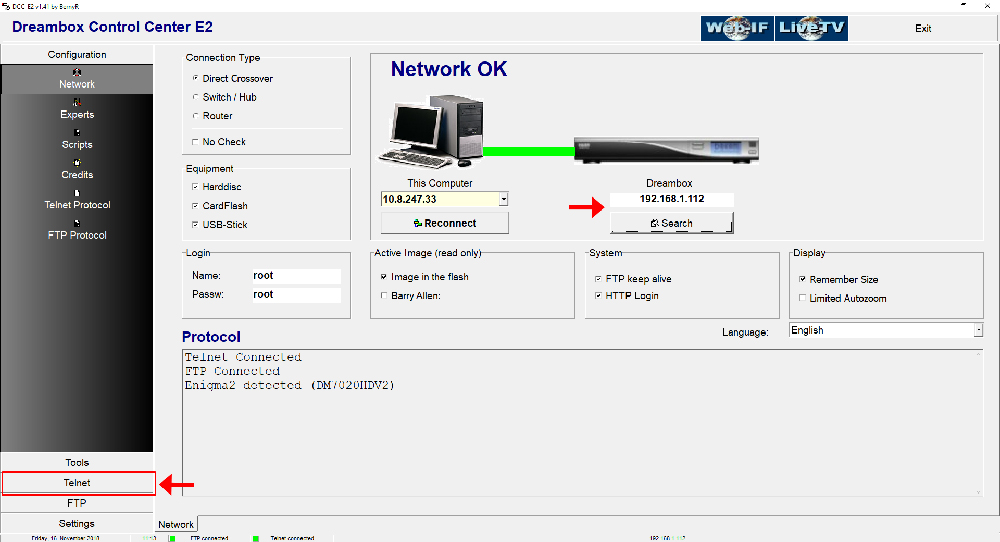
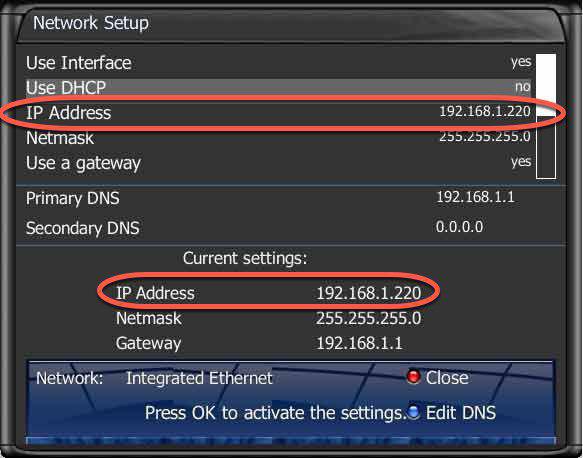
🔍 Tip: First, find your Enigma2 box IP address by navigating to
Menu > Settings > Network Settingson your receiver.
✅ Step 2: Connect to Enigma2
Log into DCC_E2 with:
-
Username:
root -
Password:
root -
IP Address: (From your device’s network settings)
✅ Step 3: Run the IPTV Autoscript
Depending on your box, use the right script version:
-
OE1.6(Python 2.6): For non-Dreambox devices -
OE2.0(Python 2.7): For Dreambox devices
Example command for Dreambox:
wget -O /etc/enigma2/iptv.sh "http://tv.yourdns.com/get.php?username=your-line-username&password=your-line-password&type=enigma216_script&output=ts" && chmod 777 /etc/enigma2/iptv.sh && /etc/enigma2/iptv.sh
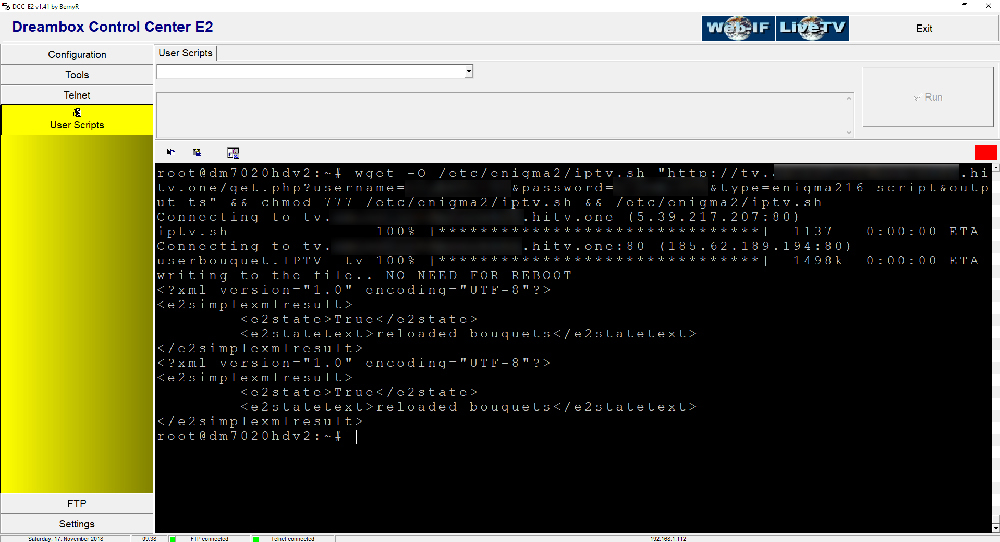
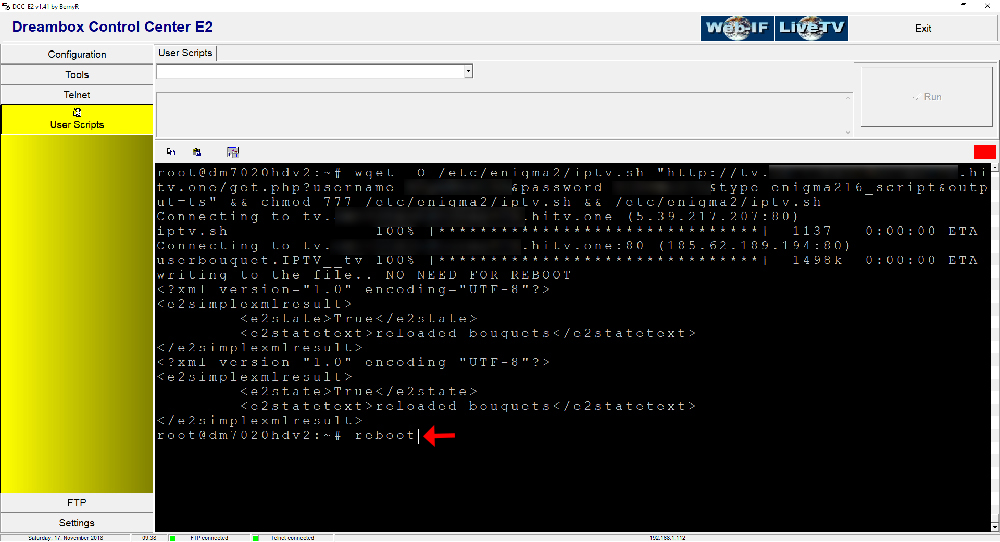
👉 Paste this in the Telnet Terminal and hit Enter.
✅ Step 4: Reboot Your Receiver
To finalize the setup, reboot your device by typing:
reboot
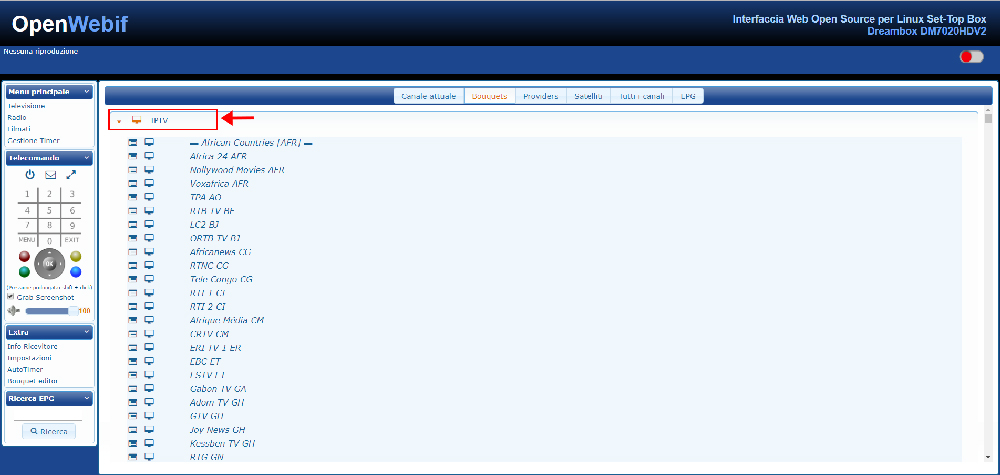
✅ Step 5: Enjoy IPTV 📺
After the reboot, check your Bouquet list. You should now see a new group labeled “IPTV” – ready to stream!
We’d love to hear from you! If you have any questions about this tutorial or feedback about our website, feel free to share your thoughts in the comments. Your suggestions and opinions help us improve and serve you better. 💬👇
🌐 This tutorial is developed by iptvhelpcenter.net – your go-to hub for all things IPTV.
