





How to Set Up & Optimize IPTV on TiviMate: A Step-by-Step Guide
TiviMate IPTV Player is a popular Android app for streaming IPTV content, supporting both playlist URLs and Xtream Codes. It’s widely used on devices like the Firestick for seamless IPTV viewing.
In this guide, we’ll walk you through setting up TiviMate using Xtream Codes, followed by exploring its top features like Catch-up, Recording, and EPG.
📌 Step-by-Step Setup for TiviMate via Xtream Codes
1️⃣ Download & Install
-
Get TiviMate from the Google Play Store.
2️⃣ Add Playlist
-
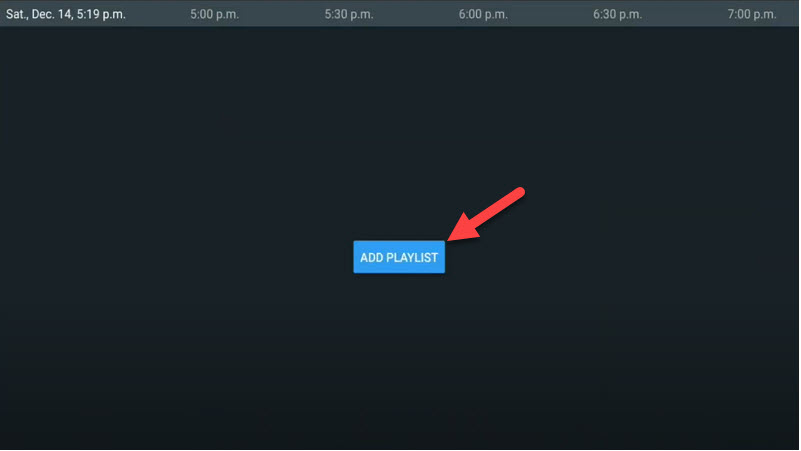
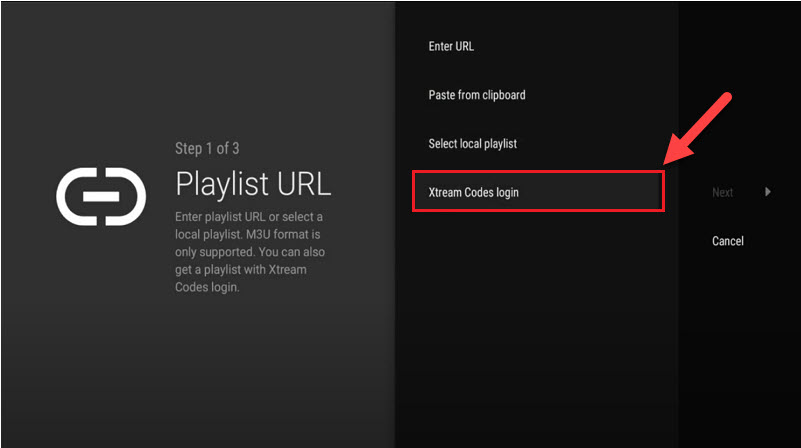
Open TiviMate → Click “Add Playlist” → Select “Xtream Codes Login”.
3️⃣ Enter Credentials
-
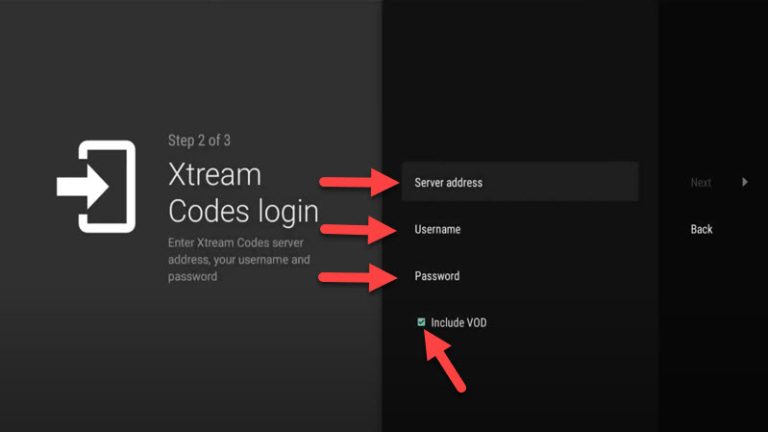
Input your:
-
Server Address (e.g.,
http://example.com) -
Username
-
Password
(These details are provided by your IPTV provider in the dashboard.)
-
-
Enable “Include VOD” if you want movies/series.
4️⃣ Enjoy Streaming!
-
Channels will load automatically.
🌟 Key Features of TiviMate IPTV Player
✔ Modern UI – Optimized for TV screens
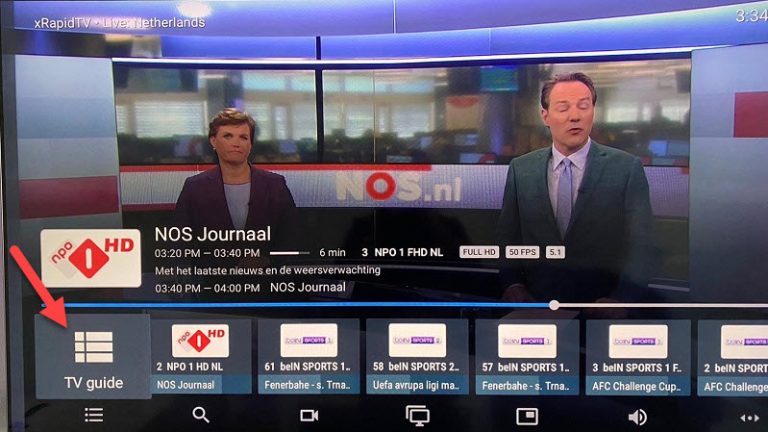
✔ EPG (Electronic Program Guide) – TV schedules
✔ Catch-Up – Watch missed shows
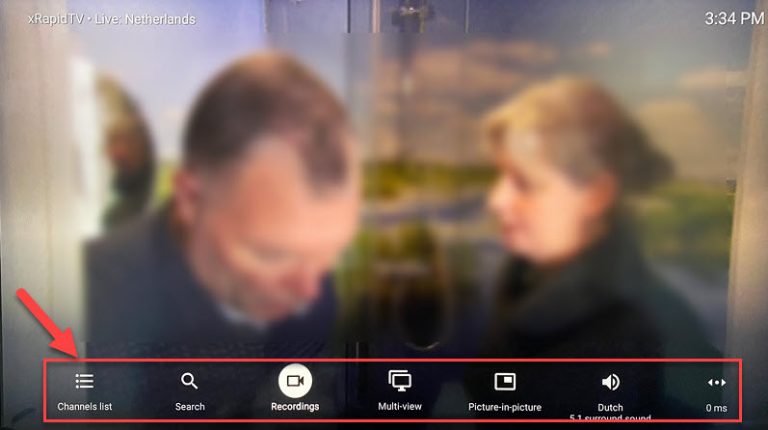
✔ Recording – Save live TV
✔ Picture-in-Picture (PiP) – Multitask while watching
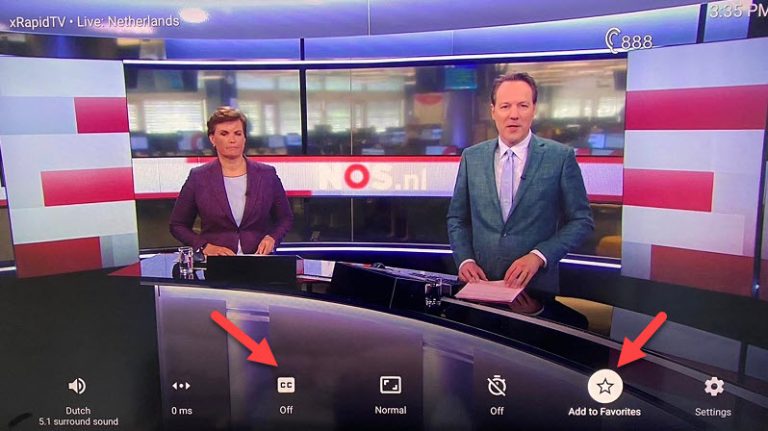
✔ Favorites & Subtitles – Customize your experience
🔧 Pro Tip:
-
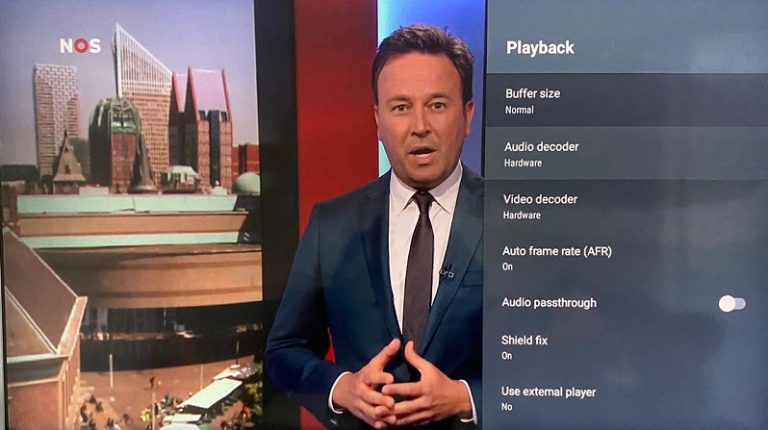
Press & hold OK to access settings.
-
Use “TV Guide” for EPG or “CC” for subtitles.
 💬 We’d love to hear from you! If you have questions or feedback about this tutorial, share your thoughts below. Your suggestions help us improve! 💬👇
Developed by iptvhelpcenter.net
