





How to Set Up VPN on DD-WRT Router: Secure Your Network in Minutes
🌐 What You’ll Need
-
A DD-WRT compatible router
-
Active PPTP VPN account (server address, username & password)
-
Working internet connection
(Note: VPN won’t work directly on ISP modems – you need a separate router.)
⚡ Step-by-Step Setup Guide
Step 1: Access Router Interface
-
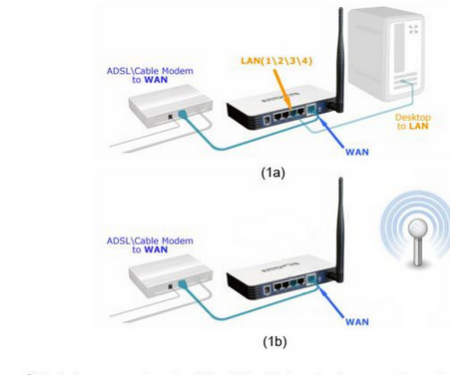
Connect via Ethernet/WiFi to your DD-WRT router
-
Open browser → Enter router IP (usually 192.168.1.1)
Step 2: Configure PPTP VPN
-
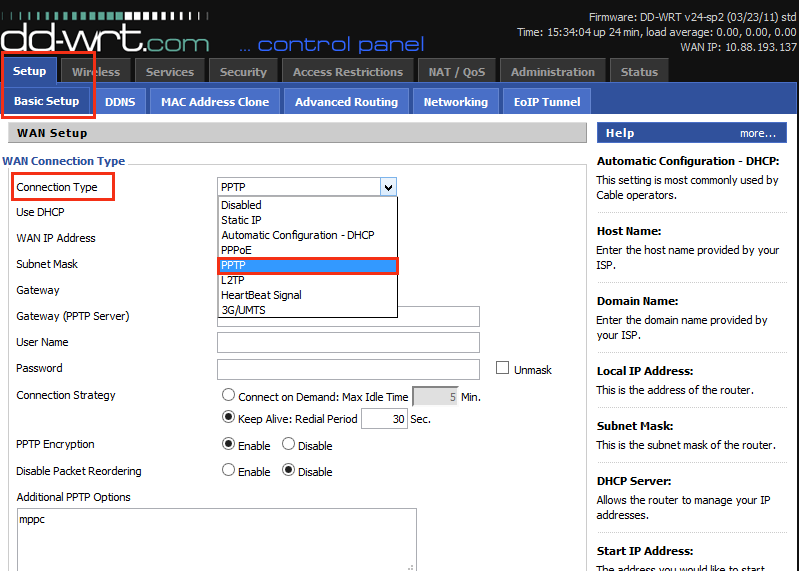
Go to Basic Setup tab
-
Set Connection Type → PPTP
-
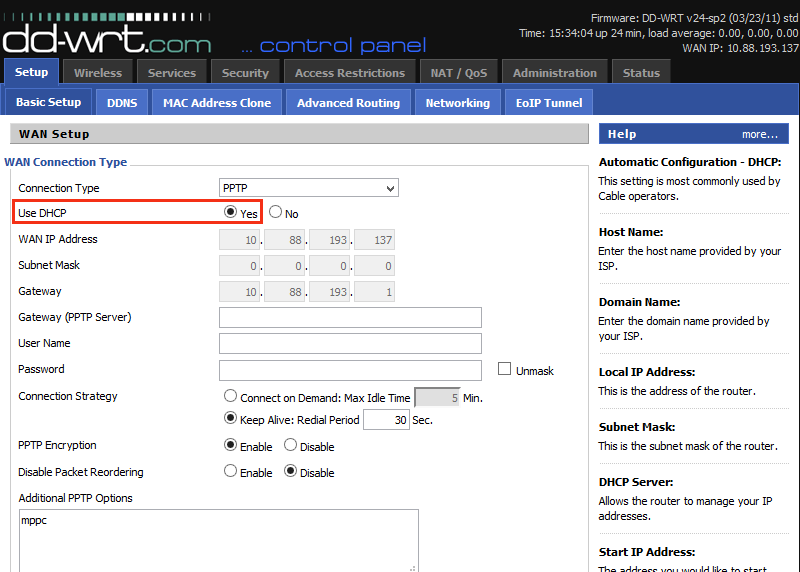
Enable DHCP (select Yes)
Step 3: Enter VPN Credentials
-
Gateway/PPTP Server: Your VPN provider’s address
-
Username/Password: From your VPN subscription
-
Additional Options: Add
refuse-eap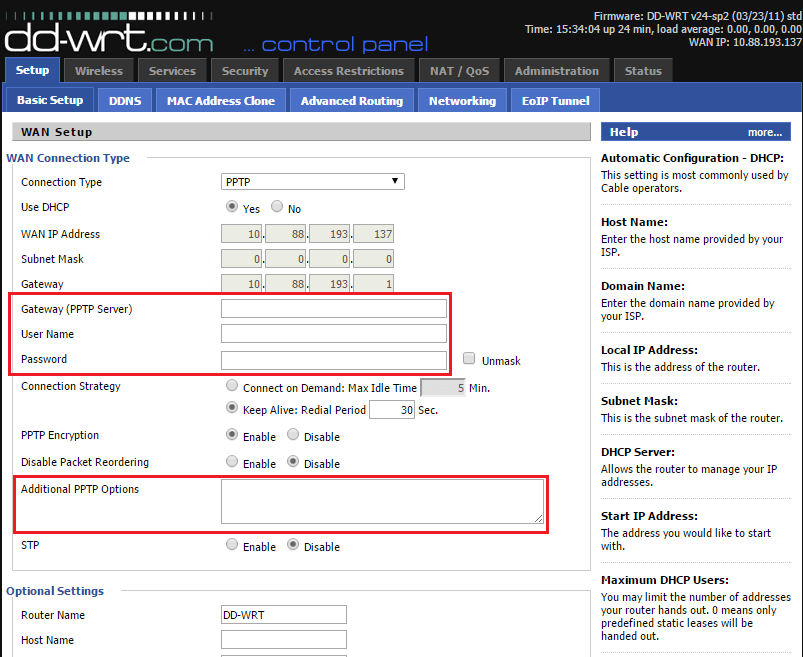
Step 4: Finalize Setup
-
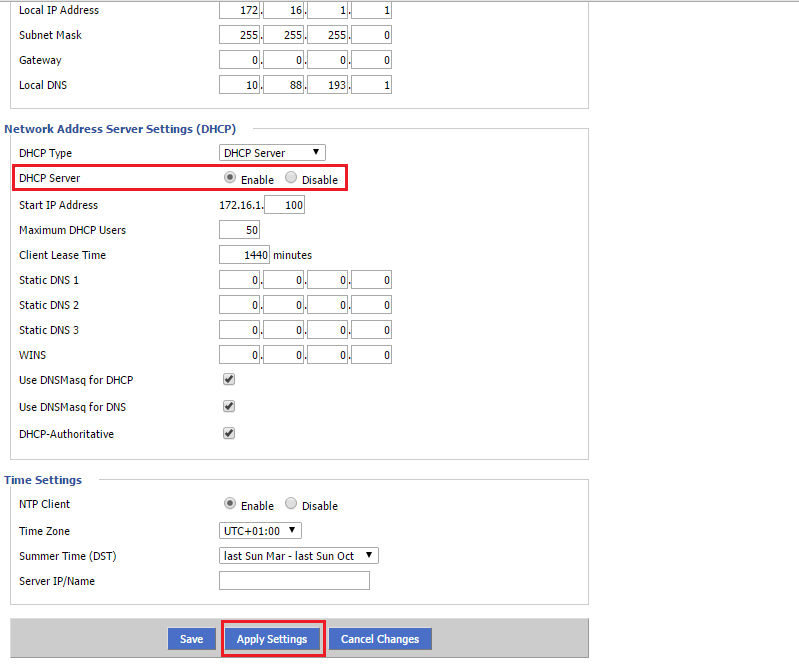
Ensure DHCP Server is enabled
-
Click Apply Settings → Save
-
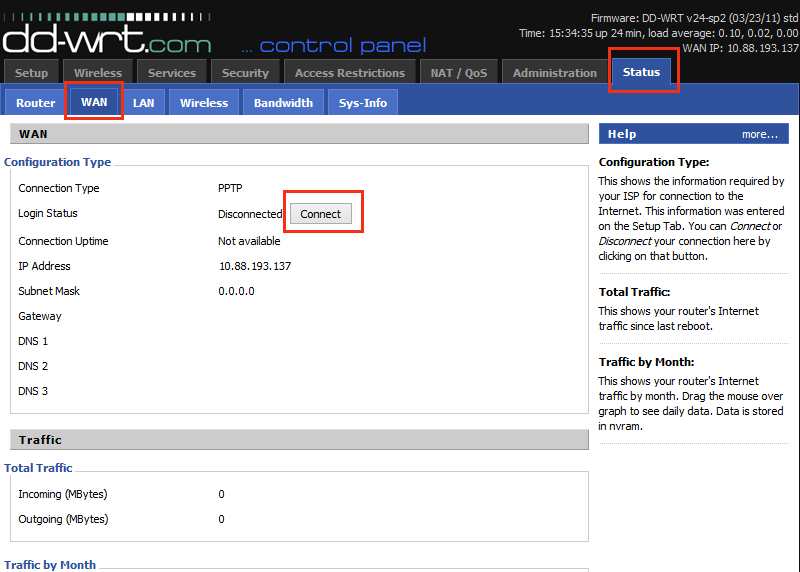
Go to Status > WAN → Click Connect
🔧 Why Use VPN on DD-WRT?
✔ Enhanced privacy & bypass geo-restrictions
✔ Secure all connected devices (no need for individual VPN apps)
✔ Stable PPTP protocol for basic encryption needs
(For stronger security, consider OpenVPN setup instead.)
💬 We’d love to hear from you! Questions or feedback? Let us know in the comments! 💬👇
Developed by iptvhelpcenter.net
