





Optimize VLC for IPTV: Boost Streaming & Reduce Buffering!
Here’s how to optimize VLC Media Player for smoother IPTV streaming by adjusting cache settings to minimize buffering.
🛠️ Steps to Optimize VLC for IPTV
-
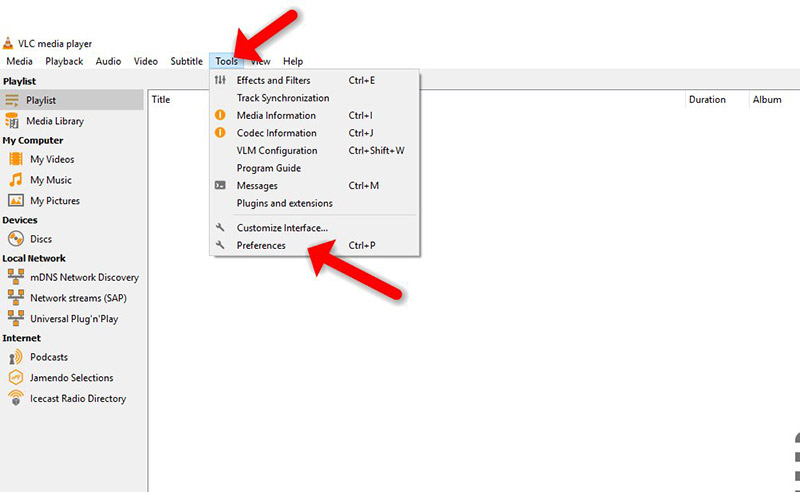
Open VLC → Tools → Preferences (or Ctrl + P).
-
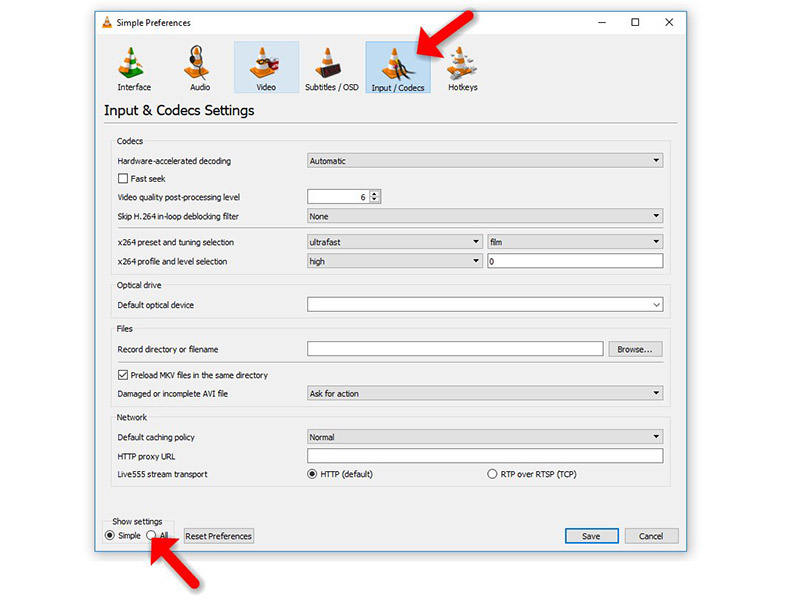
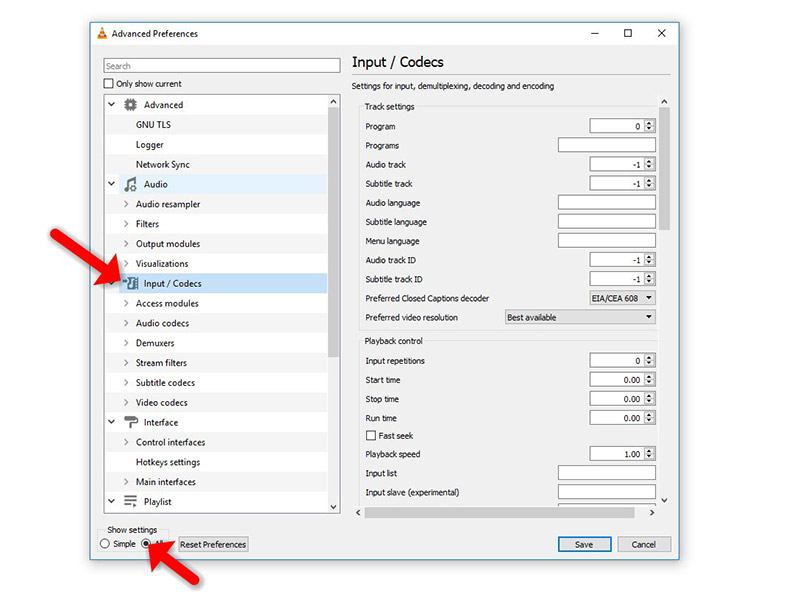
Switch to “All” settings at the bottom, then select Input / Codecs.
-
For local files (Static M3U):
-
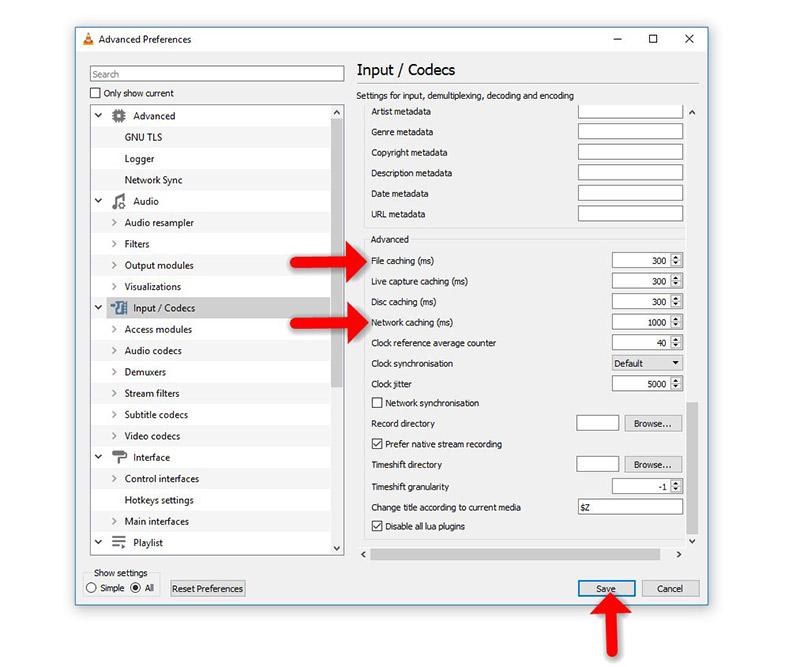
Adjust “File Caching (ms)” (e.g., 1000ms = 1-second buffer).
-
-
For network streams (Dynamic M3U URL):
-
Modify “Network Caching (ms)” (higher values reduce buffering but may increase lag when skipping).
-
⚡ Quick Fix for Network Streams
-
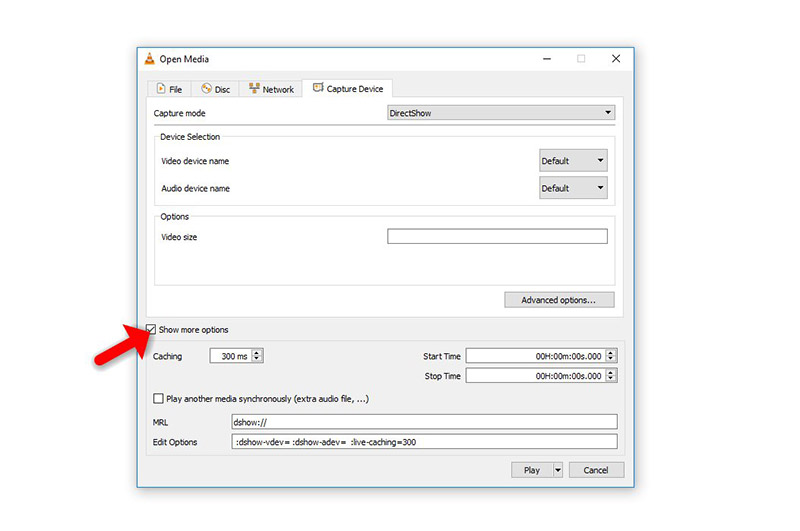
Go to Media → Open Network Stream → Enter URL → Enable “Show More Options”.
-
Increase cache size based on your internet speed.
💬 We’d love to hear from you! If you have questions or feedback about this guide or our site, share your thoughts below. Your input helps us improve! 👇
Developed by iptvhelpcenter.net
