





How to Easily Set Up IPTV on MAG Box [Step-by-Step Guide]
In this detailed tutorial from iptvhelpcenter.net, we’ll show you how to set up IPTV on your MAG device in just a few steps. Whether you’re using a MAG 250, 254, 322, or other models, the process is similar.
Step 1: Open the Settings Menu
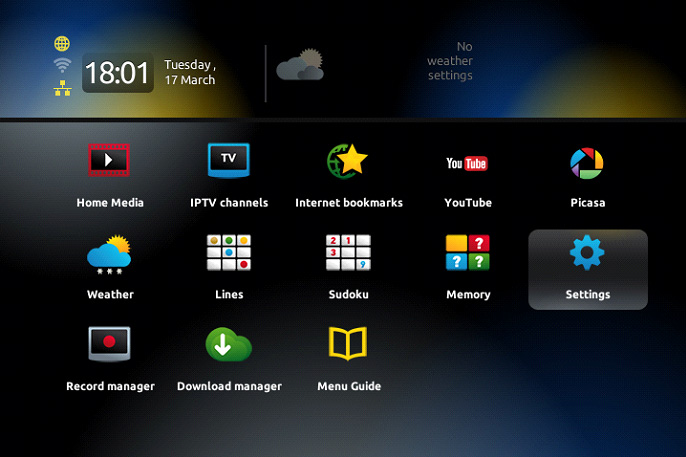
Once your MAG device finishes loading and the main portal screen appears, press the SETUP/SET button on your remote control. This will open the Settings menu.
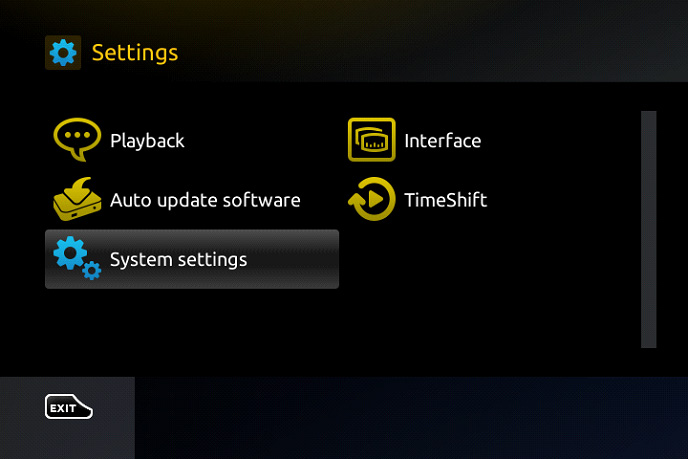
Step 2: Access System Settings
Navigate to System settings, then select Servers from the list.
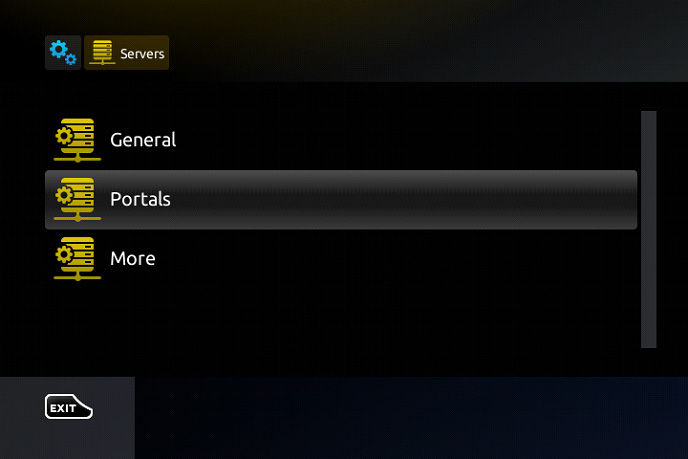
Step 3: Open the Portals Section
Inside the Servers menu, choose Portals.
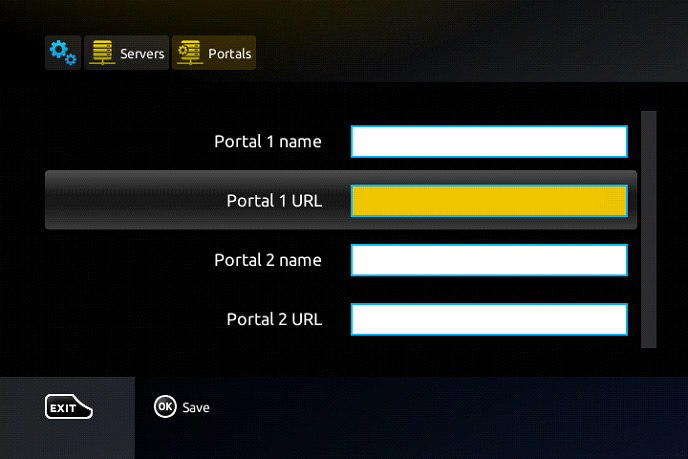
You’ll now see fields where you can enter your Portal information:
-
In the Portal 1 Name field, enter a name of your choice — for example:
IPTV. -
In the Portal 1 URL field, enter the portal address given to you by your IPTV provider.
Before entering the portal URL, you must send your MAG box’s MAC address (located on the back of the device) to your IPTV provider. They will use this to activate your service.
Step 4: Save Portal Settings
After entering both the Portal Name and URL, press the OK button on your remote to save the configuration.
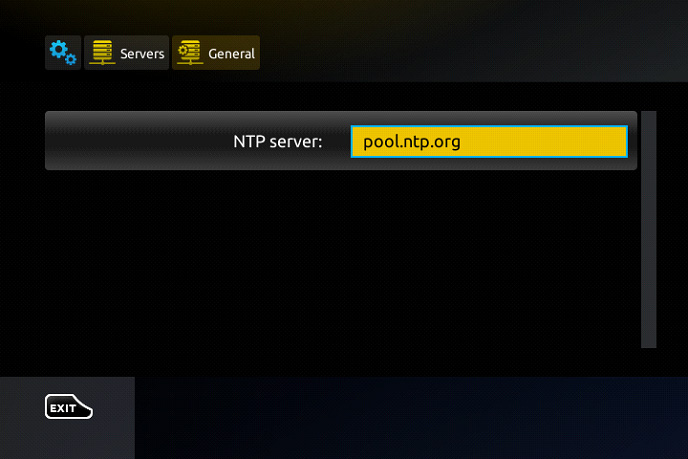
Now press the EXIT button once and navigate to General.
In the NTP Server field, enter one of the following time server addresses:
-
pool.ntp.org -
us.pool.ntp.org(recommended for users in North America)
Step 5: Final Save and Restart
Press OK again to save all the settings.
Next, press EXIT twice to return to the main screen and restart the portal. After rebooting, your MAG box will load the IPTV portal and your channels should be available.
🔒 Accessing Adult Content (Optional)
The default password for adult content on MAG boxes is 0000. This can be changed manually by the user.
We’d love to hear from you! If you have any questions about this tutorial or feedback about our website, feel free to share your thoughts in the comments. Your suggestions and opinions help us improve and serve you better. 💬👇
Developed by iptvhelpcenter.net

4 Comments
Sophie_Leroy
I was about to give up on IPTV because of constant freezing, but your guide on ‘How to Optimize WiFi for Streaming’ saved me! Now it works perfectly. Merci beaucoup!
Admin
We are always here for you. Please share any problems with us in the comments.
MarkThompson
This guide saved me hours of frustration! The step-by-step instructions were so clear, and my MAG Box is now working perfectly. Thank you for such a helpful tutorial!
Admin
Hi Mark, we’re thrilled to hear that our guide helped you set up your MAG Box smoothly! If you ever run into any issues, feel free to ask. Happy streaming!